
Get a summary of this article with your favorite AI:
Disclaimer: BatchDialer is designed to support responsible outreach, and customers should ensure their cold outreach complies with applicable laws and obtain any required permissions.
Key Takeaways:
- Verifying your business with phone carriers helps prevent your calls from being flagged as spam, directly improving answer rates and call productivity.
- A verified caller ID can build credibility and brand recognition by displaying your company name to prospects before they even pick up.
- BatchDialer’s Remediation feature lets you complete business verification once, automatically protecting all current and future numbers in your account.
Verifying your business is one of the most overlooked ways to boost your cold calling performance. If you haven’t done this (or you’re not sure if you have), this article is for you. We’ll explain what business verification means in telemarketing, what it takes, and more.
What Is Business Verification?
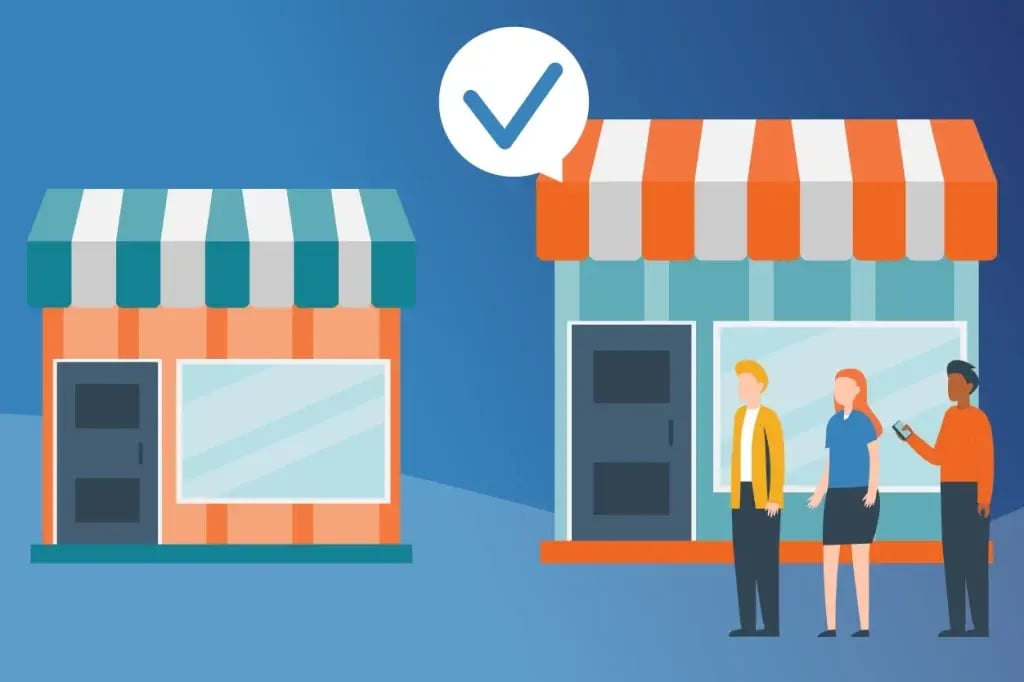
In telemarketing, business verification is the process by which companies legitimize themselves in the eyes of phone carriers. Many carriers flag suspicious calls as “spam” or “potential spam” to protect consumers from scammers. However, by verifying your business, you show that your outreach is legitimate, thereby protecting your phone number’s reputation.
Caller ID Authentication
Though different, caller ID authentication is a natural extension of business verification. It verifies that your caller ID number (the number displayed on the recipient’s phone) belongs to you and isn’t being illegally used or “spoofed” by a scammer. This involves passing a protocol called “STIR/SHAKEN,” an acronym for “Secure Telephone Identity Revisited (STIR) and Signature-based Handling of Asserted Information Using toKENs.”
Verified caller IDs typically show up on call recipients’ phones with a tick or checkmark to reassure consumers that the caller’s number has been authenticated. You can even have your company name displayed as your caller ID, so prospects know who is calling before picking up.
The Benefits of Business Verification
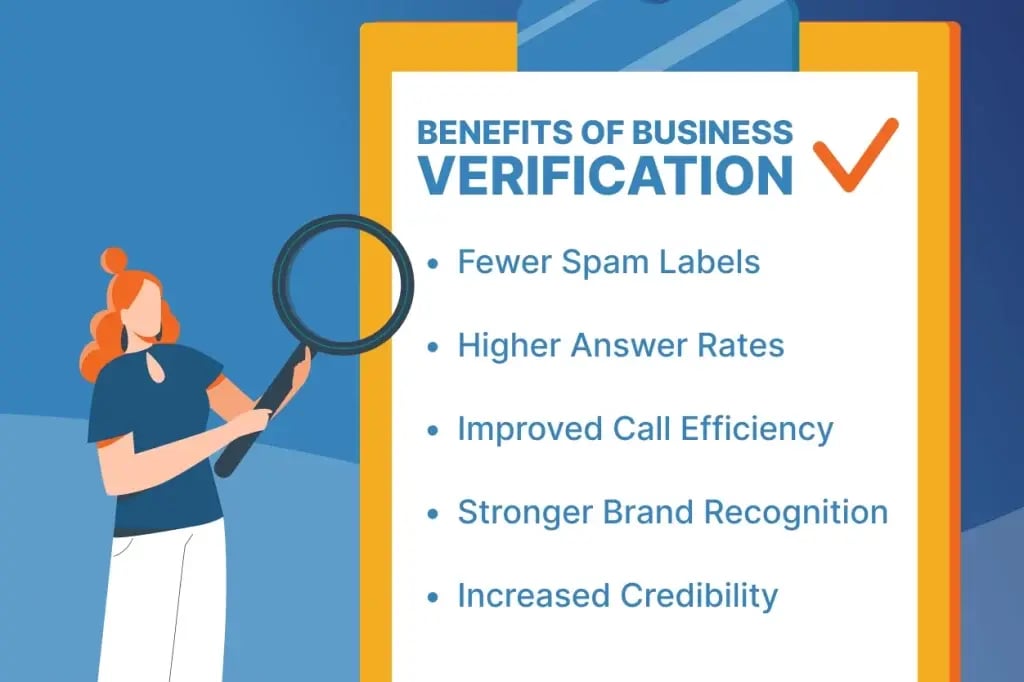
Verifying your business can have many advantages:
Fewer Spam Labels
Verified numbers are less likely to be flagged by carrier algorithms, helping your calls avoid spam labels and reach more people.
Higher Answer Rates
When carriers know you represent a legitimate business, they’re less likely to flag your calls as spam, which can deter prospects from picking up the phone. This can raise your answer rates.
Improved Call Efficiency
When more of your calls get answered, you spend less time dialing and more time having actual conversations, boosting your overall productivity.
Stronger Brand Recognition
If you opt to display your company name on your caller ID, every call becomes a branded touchpoint. Even if the prospect doesn’t answer, they see your company name.
Increased Credibility
A verified caller ID signals legitimacy. In a world full of robocalls and scams, standing out as a trusted business can be a competitive advantage.
What’s Required to Verify Your Business?
Business verification requirements can vary by phone carrier. However, you must typically provide some details about your business, such as:
- Legal business name
- Business address and contact information
- Employer Identification Number (EIN)
Once you’ve supplied the required information, the phone carrier will review and then approve or decline your business verification request.
Pro Tip: Want to know if your phone numbers have spam flags before verifying your business? Enter them in our free Spam Checker to find out!
How to Verify Your Business the Easy Way
Create a graphic with a business verification / phone logo sign with BatchDialer branding and a business owner standing in front of it.
While you could apply to verify your business with each phone carrier separately, there’s an easier way. BatchDialer’s Remediation feature lets you apply for business verification once and maintain it for all future phone numbers and calls made through your BatchDialer account.
Here’s how it works: First, create a BatchDialer account. Then log in and go to the Phone Numbers section. There, you’ll see all of your phone numbers listed, along with their current verification status. Any labeled Action Required needs verification.
Click Verify Your Business on the right side of the screen. An informational pop-up window will appear, highlighting the benefits of remediation, the required verification details, and the estimated approval timeline.
You’ll be asked to provide the following information:
- Contact information (name, title, email, phone number)
- Business information (company name, website, employee count)
- EIN or DUNS verification details
- Business address
- Calling activity information (call type, volume, providers)
After submitting your request, the verification process begins. Approval times can vary, but most requests are handled within 3-5 business days. You can view the status of your request directly in the Remediation Status section on the Phone Numbers page.
You’ll also receive an email update from BatchDialer regarding your verification status, including any additional information needed (or confirmation once approved). After verification is complete, the app status will update to Completed, and any new numbers added to your account will automatically be protected without needing to repeat this process.
Why It Matters for Cold Calling

Cold calling is hard enough as it is. Don’t make it harder by not verifying your phone number(s).
Similarly, going through separate business verification processes with different carriers (and maintaining that status) can be a challenge. Make it easier on yourself by taking the one-and-done approach enabled by BatchDialer.
If you do, you may see noticeable improvements in your answer rates, outbound efficiency, campaign performance, and overall customer engagement.
BatchDialer’s Phone Number Reputation Protection Features
BatchDialer also helps you stay on top of your phone numbers’ status with its built-in reputation monitoring feature. It shows you what the customer sees when you call and alerts you when it’s time to replace or re-register your numbers with carriers:
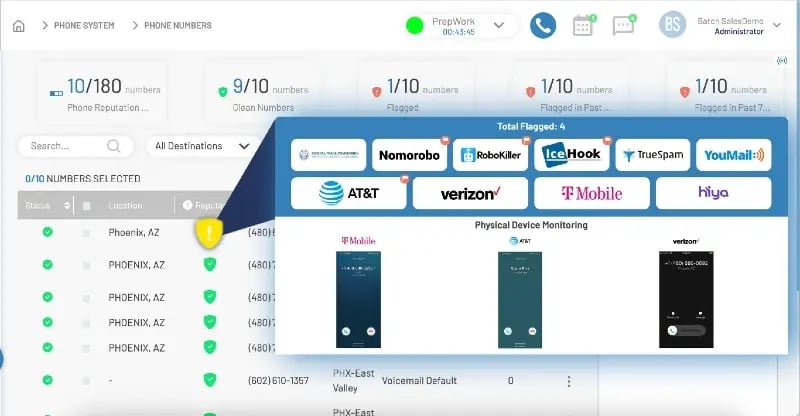
To do this, BatchDialer actively monitors 10+ sources. Want to minimize wasted time using numbers with spam labels? You can opt to have any impacted numbers automatically replaced. That way, you can focus on what you do best: having quality conversations with prospects.
Verify Your Business with BatchDialer for Free Today
The truth is, you’re closer to verifying your business and boosting your cold calling performance than you might think. All it takes is creating a free BatchDialer account and starting the remediation process. But don’t take our word for it.
Start your 7-day free trial now to find out.
Frequently Asked Questions (FAQs)
What is business phone verification, and why does it matter for outbound call performance?
Business phone verification is the process of verifying your business with phone carriers. It reduces spam labels on your calls, which can directly improve your answer rates and overall outbound call performance.
How does business verification reduce spam labels?
When carriers recognize your business as legitimate, their algorithms are less likely to flag your number as spam, increasing the chances that prospects actually pick up.
What is caller ID verification?
Caller ID verification confirms that the number displayed on a recipient’s phone actually belongs to you and isn’t being spoofed by a scammer. It involves passing the STIR/SHAKEN protocol and typically results in a check mark appearing on the recipient’s screen (and optionally, your company name).
How does phone number reputation affect my outbound call performance?
A poor phone number reputation means more of your calls get screened or ignored, impacting your answer rates and call productivity. Maintaining a strong caller reputation, however, keeps your outbound sales efforts working as intended.
Does BatchDialer offer any other tools to protect my caller reputation?
Yes, beyond business verification, BatchDialer’s built-in reputation monitoring tracks your numbers across 10+ sources and can automatically replace any that are flagged as spam.
How can I check if my numbers have spam labels?
BatchDialer offers a free Spam Checker tool that lets you enter up to 3 phone numbers at a time to instantly see whether they’ve been flagged as spam.