
Get a summary of this article with your favorite AI:
Disclaimer: BatchDialer does not provide legal advice. This article is for informational purposes only. Before cold calling prospects, we recommend researching applicable laws and seeking legal advice as needed.
| Quick Answer: Cold calling can get your numbers flagged as spam if you’re not careful. Suspicious dialing patterns that often trigger spam labels include high-volume calling from one number, low answer rates, and short calls with frequent hang-ups. |
Phone carriers may label cold calls as spam if they exhibit suspicious calling patterns, which can impact the effectiveness of your outreach.
Fortunately, by understanding the behaviors that trigger these labels, you can take proactive steps to improve your deliverability. Read on to learn best practices for maintaining a strong phone reputation and ensuring your calls successfully reach your prospects.
Key Takeaways:
- Spam labels drastically lower answer rates. Most consumers won’t pick up a flagged call, and even those who do often hang up quickly.
- Dialing habits such as high call volume from a single number, low answer rates, and short call durations with frequent hang-ups trigger spam detection algorithms.
- Verifying your numbers, rotating them, and monitoring your phone reputation are the best ways to avoid spam labels and keep your outreach effective.
How Spam Labels Affect Outreach Performance
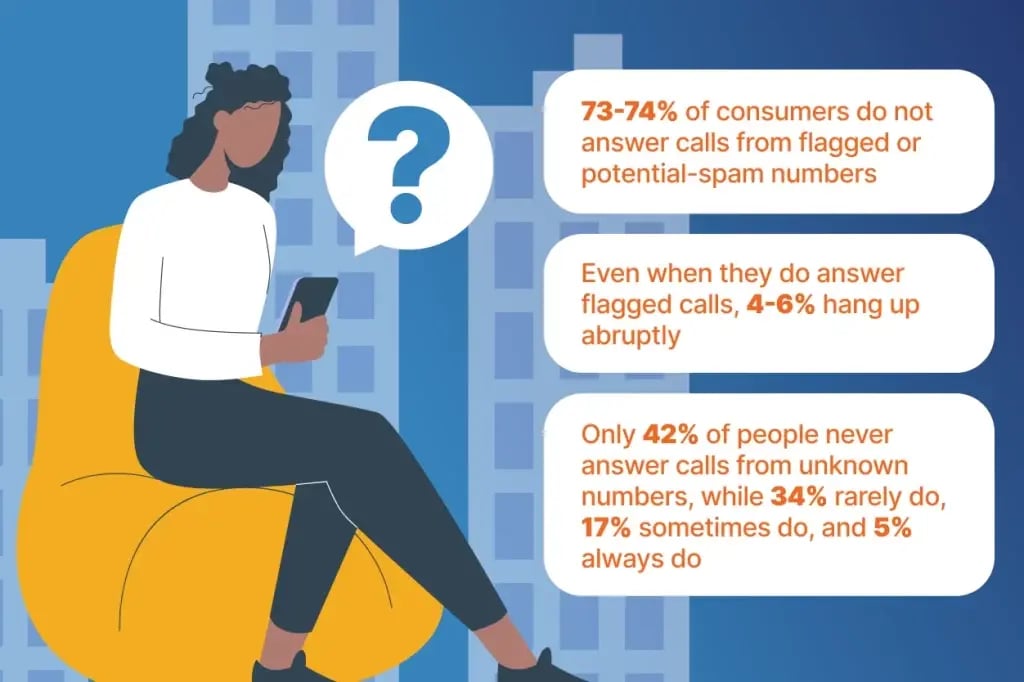
Naturally, calls with spam labels are less likely to be answered. According to one estimate, 73-74% of consumers do not answer calls from flagged or potential-spam numbers. Even when they do answer flagged calls, 4-6% hang up abruptly.
This is a sharp increase in unanswered and dropped calls from non-spam-labeled numbers. According to another estimate, only 42% of people never answer calls from unknown numbers, while 34% rarely do, 17% sometimes do, and 5% always do.
In short, spam labels can significantly and negatively impact your outreach performance.
6 Dialing Practices That Can Lead to Spam Labels
Now that you understand the impact spam labels can have on your calls, here are six dialing practices to avoid (since they can trigger phone carriers’ spam detection algorithms):
1. High Call Volume From a Single Number Over a Short Period
Sales teams that use a single phone number, or too few numbers for their call volume, to contact many prospects in a short period often trigger spam detection algorithms. Even if you run a legitimate business, placing too many calls from a small pool of numbers can resemble an automated robocall system.
2. Repeated Unanswered Calls to the Same Contacts
If you repeatedly call the same number with no response, it could signal to phone carriers that you don’t know the call recipient or that they don’t want to hear from you. Repeated failed attempts could then trigger a spam label.
3. Short Call Durations and Frequent Hang-Ups
A low average call duration combined with frequent hang-ups may indicate that your calls are unsolicited and unwanted. At some point, phone carriers may interpret these patterns as spam and label your phone number accordingly.
4. Low Answer Rates
Low answer rates mean a high percentage of your calls don’t connect to their intended recipients. To phone carriers, this can look like spam, prompting a spam label. That’s why it’s important to spread your outgoing calls across multiple numbers.
5. Call Recipients Manually Blocking or Reporting Your Number
Consumers can report calls as spam to phone carriers directly or via third-party apps. This, too, can result in spam labels, whether or not the consumer has a legitimate reason.
6. Calling From an Unverified Phone Number
Many beginner sales teams make the mistake of not verifying their business phone numbers with phone carriers, aka Business remediation. This makes it more likely that their calls are marked as spam, while verified numbers often avoid such labels.
Pro Tip: Check whether any of your numbers have spam labels using our free Spam Checker.
How to Maintain a Healthy Phone Number Reputation
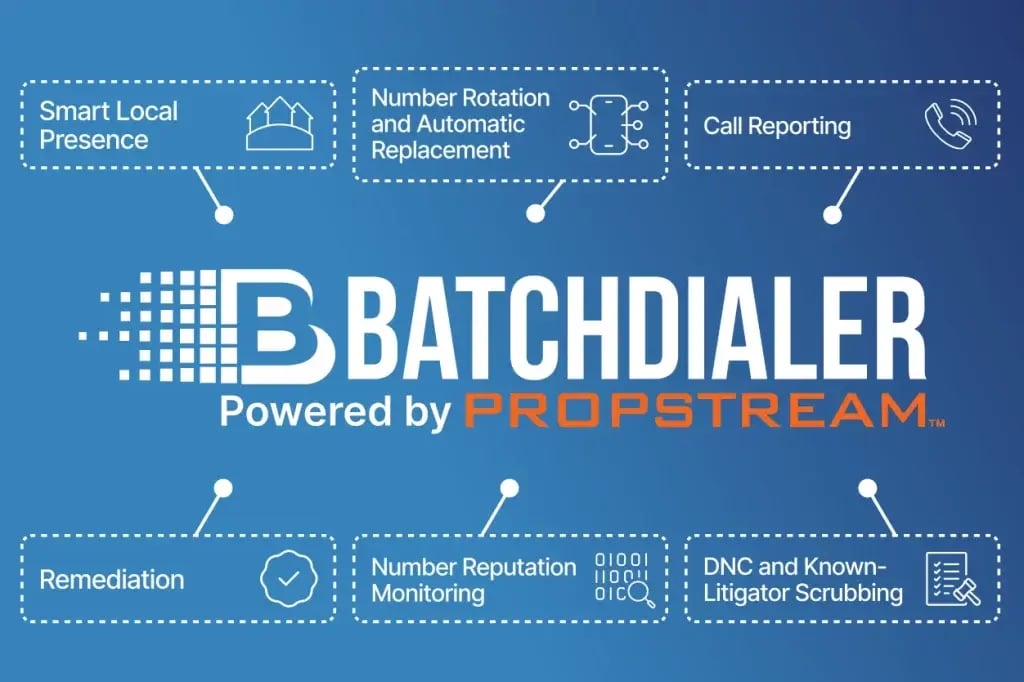
To keep your phone numbers in good standing, follow these best practices:
Phone Reputation Monitoring
You don’t know what you don’t know. To keep your phone numbers in good standing, you must monitor them. BatchDialer does this for you by actively monitoring 10+ sources to ensure you always know the status of your numbers.
Remediation
Remediation is verifying your phone numbers with phone carriers. With BatchDialer, you can streamline this process by providing a few basic details about your business:
- Contact information (name, title, email, phone number)
- Business information (company name, website, employee count)
- EIN or DUNS verification details
- Business address
- Calling activity information (call type, volume, providers)
From there, BatchDialer will submit your information for verification and update you once your request has been approved.
Smart Local Presence
Did you know that people are four times more likely to answer calls from local numbers?
BatchDialer’s Local Presence feature automatically detects the call recipient’s location and uses the most appropriate local number from your pool of numbers. That way, prospects are more likely to answer.
Number Rotation and Automatic Replacement
BatchDialer lets you cycle through all of your available phone numbers evenly to avoid using any one too frequently (and triggering spam detection algorithms). If a particular number ever does receive a spam label, it will automatically be replaced with a fresh, clean number. (*Available only on select Plans)
Call Reporting
You can’t improve what you don’t measure. BatchDialer’s built-in call metrics can help you track your performance over time and alert you to anomalies, such as declining answer rates due to spam labels.
DNC and Known-Litigator Scrubbing
The federal government prohibits businesses from calling numbers on the national do-not-call (DNC) registry and requires them to check their call lists against it every 31 days. BatchDialer does this for you automatically, on top of removing any known litigators from your list. That way, you’re less likely to be reported as spam by those who don’t want to be contacted.
Simplify Phone Number Reputation Management With BatchDialer
Ready to put managing your phone number reputation on autopilot? Try BatchDialer today for free. It has everything you need to minimize spam labels and maximize your answer rates.
Start your 7-day free trial of BatchDialer now!
Frequently Asked Questions (FAQs)
Why is my phone number flagged as spam if I’m running a legitimate business?
Spam detection algorithms don’t know your intentions. They only see patterns. High-volume calling from a single number, low answer rates, and short call durations with frequent hang-ups can all appear to be automated or unwanted calling. To help reduce this risk, BatchDialer’s Remediation feature verifies your business and the phone numbers you use, thereby supporting a healthier phone number reputation.
What does it mean when someone sees “Spam Likely” on their phone?
Spam likely calls are numbers a carrier’s algorithm has flagged as probable spam based on calling behavior. It doesn’t necessarily mean the caller is doing anything illegal. Just that their outbound calling practices match patterns associated with spam.
How can I check my phone number’s reputation?
You can use BatchDialer’s free spam checker tool to see whether any of your numbers currently carry a spam label.
What is business verification, and does it help with spam labels?
Business verification (aka remediation) is the process of confirming your business identity and phone numbers with phone carriers. Verified numbers are less likely to be mistakenly flagged because carriers have more context about who’s calling and why.
How often should I check my phone number’s health?
Since spam labels can appear at any time based on recent calling activity, regular monitoring (ideally through an automated tool like BatchDialer) is the best way to stay ahead of reputation issues rather than finding out after your answer rates have already dropped.
Does cold calling always risk getting flagged as spam?
Not if it’s done carefully. Cold calling itself isn’t the problem. It’s dialing practices like excessive call volume from one number or ignoring DNC lists that raise red flags. Spreading your cold calls across verified, rotated numbers and complying with telemarketing regulations can also significantly lower the risk of spam labels.