
Disclaimer: BatchDialer does not offer legal advice. This article is for educational purposes only. Consult a legal professional before using preview, predictive, or rapid dialing strategies.
Key Takeaways:
- The right dialing mode (preview, predictive, or rapid fire) depends on whether you’re prioritizing conversation quality or call volume to maximize connection rates.
- Preview dialing works best for high-value leads who require research and personalization, while predictive dialing excels at high-volume cold outreach, and rapid fire balances speed with zero dropped calls.
- Campaign settings like daily call limits, simultaneous dial ratios, and local presence matching are just as critical as dialing mode for protecting connection rates and number reputation.
A high call connection rate can lead to more conversations, appointments, and sales. But how do you increase it? While there are many levers you could pull (like improving lead quality), one that most overlook is optimizing your dialing workflow and settings.
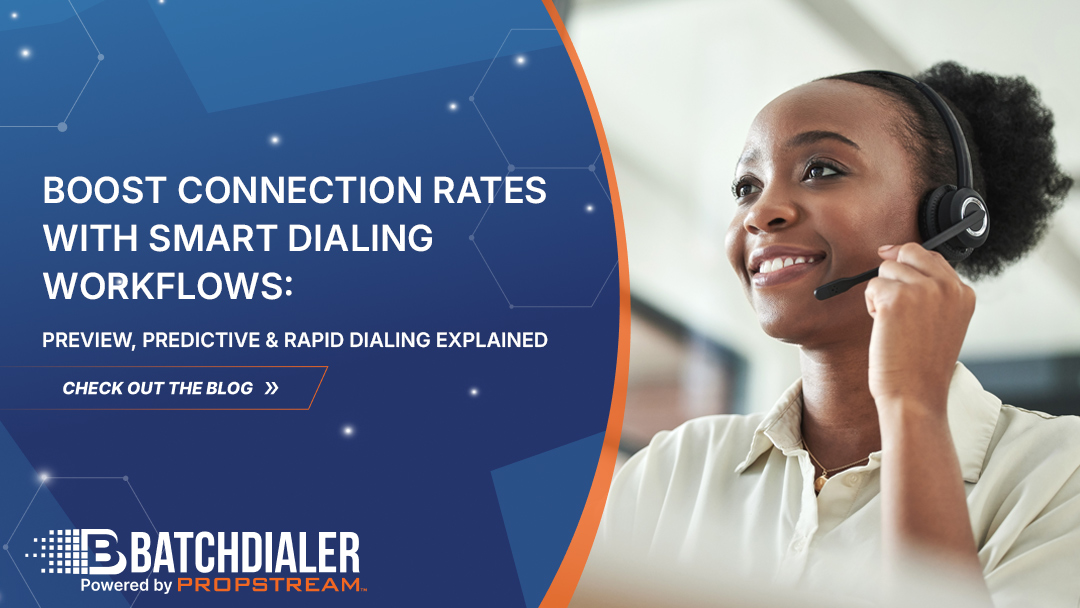
In this article, we’ll explain the top three dialing methods, when to use each, and how you can easily switch between them in BatchDialer.
Why Dialing Mode Choice Directly Impacts Connection Rates
Your dialing mode determines whether you optimize for call volume or call accuracy. Either one could lead to a higher connection rate. It all depends on your outreach goals.
For example, if your goal is to cold-call as many prospects as possible in a given geographic area, a high-volume dialing strategy may be best. However, if you want to call a handful of specific warm leads, a dialing strategy that prioritizes personalization may be better.
Preview Dialing: Best for High-Value, Research-Driven Conversations
Preview Dialing is a mode in BatchDialer that lets you call one person at a time and preview their contact information, property details, and notes before manually clicking the call button. It’s similar to making a regular phone call after careful research.
Since preview dialing prioritizes conversation quality over speed, it can be a great approach for high-value prospects, sensitive client calls, or highly targeted lead lists. You don’t have to worry about dropping calls since you’re only taking on one at a time, when you’re ready.
Predictive Dialing: Maximizing Volume and Agent Talk Time
Predictive Dialing dials multiple phone numbers simultaneously and automatically routes answered calls to the next available agent. It also predicts when agents will become available to minimize dropped calls. This method reduces idle time and maximizes agent productivity.
Popular applications for predictive dialing include high-volume lead lists, cold outreach campaigns, and teams with multiple agents. It helps you work through lead lists faster, though it still works best with high-quality lists and disciplined dialing limits.
Rapid Fire Mode: Reducing Agent Wait Time at Scale
By default, the softphone dials up to three lines at once and waits for all three calls to finish ringing before moving to the next group of contacts.
When Rapid Fire is enabled, the system no longer waits for every line to complete.
As soon as one line stops ringing due to no answer or voicemail, the platform immediately dials the next contact on that open line while the remaining lines continue ringing. This keeps the dialer active and eliminates unnecessary gaps between attempts.
When a call connects, dialing pauses automatically until the agent returns to Available status.
The result is reduced idle time, more efficient use of active lines, and a smoother outbound calling experience without overwhelming the agent.
Note: Rapid Fire Mode is only available on BatchDialer’s Advanced Plans.
Choosing Dialing Modes Based on Use Cases
Now that you know the three dialing modes BatchDialer has to offer, here are some example scenarios of when to use each:
Preview Dialing Scenario
Imagine you have a broad lead list of homeowners with many different potential selling motivations (pre-foreclosure, bankruptcy, absentee owner, etc.). In this case, a preview dialer could help you quickly review each lead before dialing, so you can better personalize your call.
Predictive Dialing Scenario
Let’s say you want to run a high-volume cold outreach campaign. In this case, predictive dialing may be the best option. It lets you dial the most numbers in the least amount of time, so you can reach the leads who will answer faster.
Rapid Fire Dialing Scenario
Assume you have a lead list of all the high equity homeowners in your market. Since they each have the same potential selling motivation (a higher payout and reduced risk of lender complications), you may opt for rapid-fire dialing to get through the list quickly without risking dropped calls.
Here’s what a potential call script could look like:
Agent: Hi, is this [Prospect Name]? This is [Your Name] with [Company Name]. I’m reaching out to high-equity homeowners in your neighborhood who might be interested in selling. Have you ever considered selling your property at [Address]?
Prospect: Actually, I’ve been thinking about it.
Agent: Great! We can make you a fair cash offer. No repairs, no commissions, and we can close on your timeline. Do you have a few minutes to discuss the property details?
Prospect: Sure.
Agent: Perfect! Let me ask you a few questions …
Your script can make or break a call, so make sure it’s tight and to the point. Not sure where to start? With BatchDialer, you can get AI-driven prompts based on the prospect’s background and call sentiment. That way, you always have something to say if you get stuck.
The Campaign Settings That Make or Break Dialing Performance
That said, dialing success isn’t driven solely by dialing mode. It’s also driven by how campaigns are configured and measured. The wrong campaign settings can hurt your connection rates, agent productivity, and number reputation—even if you have a strong lead list.
To avoid this, consider implementing these campaign guardrails:
- Limit dialing to 75-100 calls per phone number per day
- Use no more than 3 simultaneous dials per agent
- Set a maximum of 3 call attempts per record per day
- Allow a minimum 3-hour retry time
- Keep the abandonment timeout at 30 seconds
Pro Tip: Activate Smart Local Presence to match your outbound numbers to each prospect’s geographic area. People are four times more likely to answer calls from local numbers.
Ready to get started? Try out BatchDialer’s Smart Dialing workflows to match dialing modes to your outreach goals, improve connection rates, and maximize agent productivity.
Start your free 7-day trial today!
Frequently Asked Questions (FAQs)
What’s the difference between preview dialing and predictive dialing?
Preview dialing lets agents manually review contact information before placing each call one at a time, while predictive dialing automatically dials multiple numbers simultaneously and routes answered calls to available agents, maximizing call volume and talk time.
How does rapid dialing work, and when should I use it?
Rapid Dialing keeps your lines working by automatically dialing the next contact as soon as one line stops ringing — instead of waiting for all lines to finish. As soon as a call connects, dialing stops until the agent returns to “Available.”
Which dialing mode is best for real estate investors?
It depends on your lead type. Use preview dialing for researching motivated sellers with complex situations, predictive dialing for high-volume cold calling, and rapid fire for targeted lists like high-equity homeowners, where speed matters but personalization is still important.
What are the best ways to increase call connection rates?
To increase call connection rates, match your dialing mode to your campaign goals, limit calls to 75-100 per number per day, use local presence matching, maintain strong list quality, and configure proper retry intervals and abandonment timeouts.
How do I choose the right dialing mode?
When comparing dialing modes, consider three factors: lead quality, personalization needs, and tolerance for dropped calls. Preview dialing prioritizes lead quality, and predictive dialing maximizes call volume.
What outbound dialing best practices should every team follow?
Key outbound dialing best practices include limiting dialing to 75-100 calls per phone number per day, setting a maximum of 3 simultaneous dials per agent, capping call attempts to 3 per record per day, waiting at least 3 hours between retries, keeping abandonment timeout at 30 seconds, and using Smart Local Presence to improve answer rates.