Outbound calling works best when speed, data quality, and workflow alignment come together. With the latest enhancements in PropStream, BatchDialer users now have a faster, more seamless way to move from property research to high-volume calling.
PropStream recently introduced enhanced skip tracing, streamlined workflows, and two new ways to dial. For BatchDialer users, the most impactful update is Push to BatchDialer, a native API integration that removes manual list handling and makes it easier to launch calling campaigns at scale with BatchDialer.
Check out this overview blog on PropStream to learn more about the release.
Active BatchDialer users can unlock a free 7-day trial and a BOGO offer by signing up for PropStream through the special link inside BatchDialer.
Push to BatchDialer: Built for High-Volume Calling
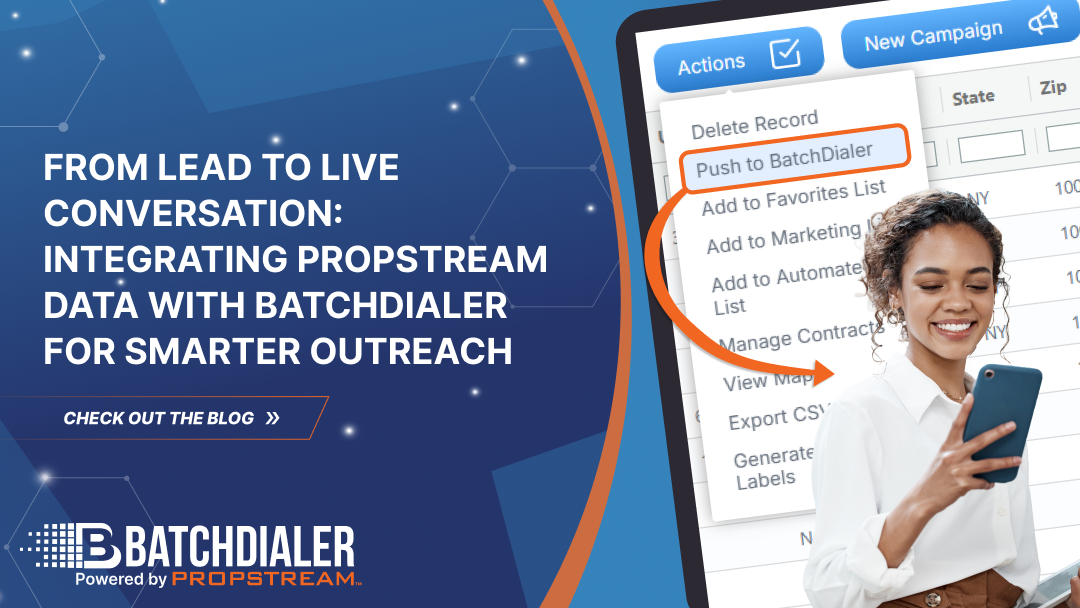
This release introduces Push to BatchDialer, enabling high-volume callers to move from PropStream data to BatchDialer campaigns faster and with fewer manual steps.
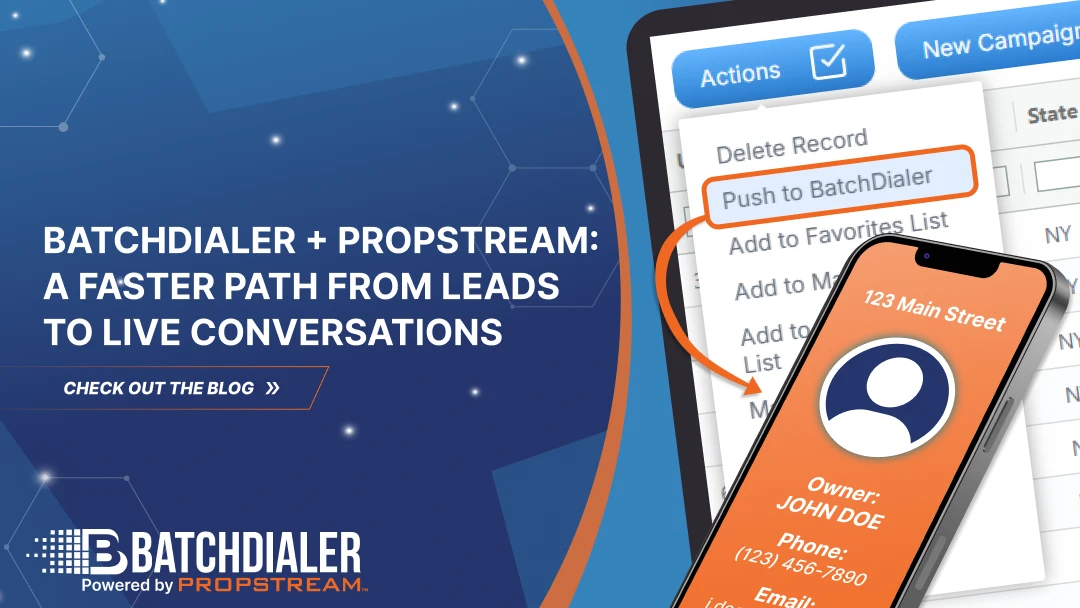
Users with an active BatchDialer and PropStream subscription can opt for Push to BatchDialer, which allows them to send skip-traced leads from PropStream directly into BatchDialer campaigns via a native API sync.
There are no CSV exports, no reformatting, and no manual uploads. Once connected, leads can be pushed into active BatchDialer campaigns in just a few clicks, where all calling activity takes place.
Watch the interactive demo below to know more about the integration.
The Push to Dial Workflow is Ideal for:
- Wholesalers running outbound calling campaigns.
- Sales teams that are making hundreds of calls per day.
- Managers who need consistency, control, and visibility.
- Teams that rely on structured dialing workflows.
- Investors who want to track calling KPIs, performance metrics, and campaign results.
Active PropStream users can unlock 20% off any BatchDialer monthly plan by signing up directly through the PropStream app.
New to PropStream? Start a 7-day free trial and experience how easier skip tracing and direct BatchDialer sync can accelerate your outreach.
How the Integration Works
To enable Push to BatchDialer, users must connect their BatchDialer account inside PropStream.
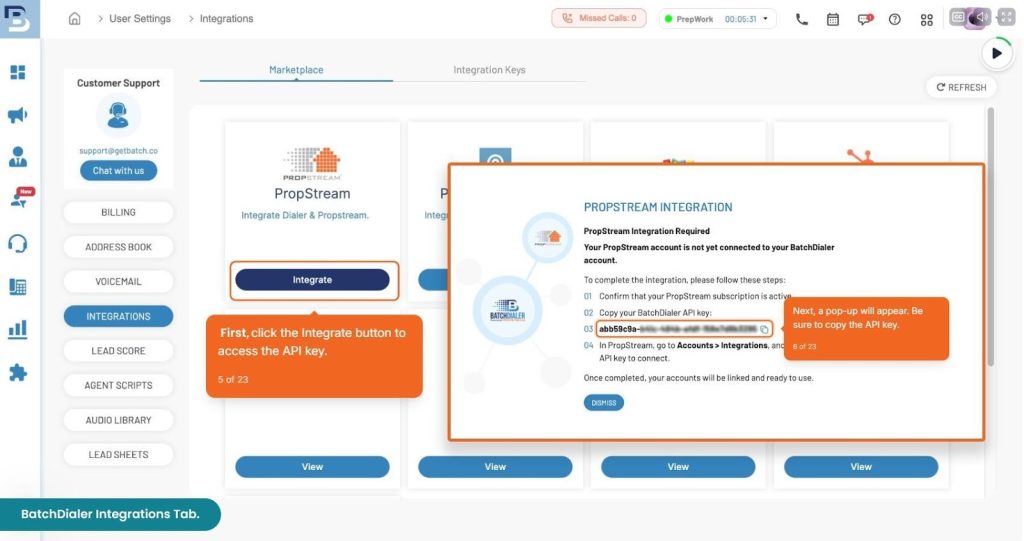
- From there, existing BatchDialer users can navigate to Settings and find PropStream in the Integrations section.
- As shown in the image below, click the Integrate button to view your API key and instructions for setting it up in PropStream.
Once the API connection is set up between PropStream and BatchDialer, users can:
- Select one or more records from My Properties or My Contacts in PropStream
- Open the Actions dropdown and choose Push to BatchDialer
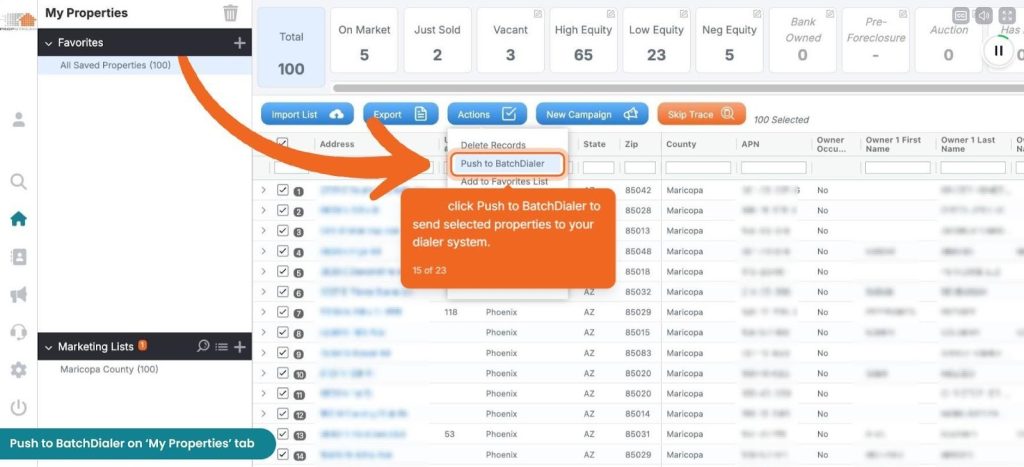
- Configure campaign settings inside PropStream
- Send leads directly into an existing BatchDialer campaign.
Once connected, calling is handled entirely inside BatchDialer using predictive, preview, or power dialing workflows.
Related read: Learn how to create Campaigns in BatchDialer.
Together, these two dialing options give users the flexibility to choose how they dial based on volume, team size, and outreach strategy, while keeping everything connected to PropStream’s data and skip tracing foundation.
Other Key Highlights of the Release
At the core of this release is a continued investment in data quality, which directly impacts calling performance. PropStream’s skip tracing is built to deliver the most accurate and reliable contact data in the real estate industry, helping BatchDialer users spend more time talking to the right people and less time dialing low-quality numbers.
Recent enhancements strengthen that foundation by expanding:
- Multi-sourced skip tracing that delivers more accurate and comprehensive contact data
- Corporate skip tracing to reach LLCs and company-owned properties using the same streamlined workflow
- UI and UX improvements that embed skip tracing directly into property and contact workflows for faster access
- Clearer compliance indicators and contact prioritization to support more confident outreach
- Smarter exports and improved visibility into skip tracing results
To learn more about the skip tracing improvements powering this release, check out the full overview blog on PropStream.
Why This Matters
Together, PropStream and BatchDialer now offer a more complete lead-to-dial stack. Enhanced skip tracing improves data quality. Push to BatchDialer removes manual steps. BatchDialer handles calling at scale.
The result is a faster, cleaner workflow that helps teams connect with more leads while staying organized and compliant.
FAQs
1. What is Push to BatchDialer, and how does it work with PropStream?
Push to BatchDialer allows users to send skip-traced leads from PropStream directly into BatchDialer campaigns using a native API sync. This eliminates CSV exports and manual uploads, creating a faster path from property research to live calling.
2. Where does the actual calling take place?
All calling happens inside BatchDialer. PropStream is used to research properties, skip trace owners, and select leads, while BatchDialer handles predictive, preview, or power dialing at scale.
3. Do I need an active BatchDialer account to use Push to BatchDialer?
Yes. Push to BatchDialer requires an active BatchDialer subscription and an API connection set up inside PropStream. Existing BatchDialer users can retrieve their API key from the Integrations section in BatchDialer settings.
4. Which PropStream and BatchDialer plans are recommended for using Push to BatchDialer?
Push to BatchDialer requires an active PropStream account and an active BatchDialer subscription. We recommend the PropStream Pro plan, which includes free skip tracing and offers strong value for users running higher-volume outreach. For BatchDialer, the Advanced plan is ideal, as it unlocks features such as phone reputation monitoring and smart local presence to improve connection rates.
5. Is there an extra cost to use the PropStream and BatchDialer integration?
No. There are no additional integration or API fees. Users only need active subscriptions to both platforms. Active PropStream users can also unlock 20% off any BatchDialer monthly plan by signing up through the PropStream app.
6. How is Push to BatchDialer different from Click-to-Dial?
Click-to-Dial is designed for individuals or small teams making low-volume, one-off calls directly in PropStream. Push to BatchDialer is built for high-volume calling, allowing teams to run structured campaigns in BatchDialer after pushing leads via API.
7. Who benefits most from using Push to BatchDialer?
Push to BatchDialer is ideal for wholesalers, outbound sales teams, and managers who rely on high-volume calling and need speed, consistency, and control without spending time preparing lists or managing manual uploads.