Disclaimer: BatchDialer does not offer legal advice. This article is for educational purposes only. Consult a legal professional before launching a cold calling campaign with a dialer.
Key Takeaways:
- High-performing cold calling campaigns require clean, targeted lead lists and strategic dialing modes—not just high call volume.
- BatchDialer offers two dialing modes (Preview and Predictive) that should be matched to your lead quality and conversation complexity, not just call volume goals.
- Ongoing optimization through real-time performance monitoring and campaign adjustments is essential for maximizing connections and conversions over time.
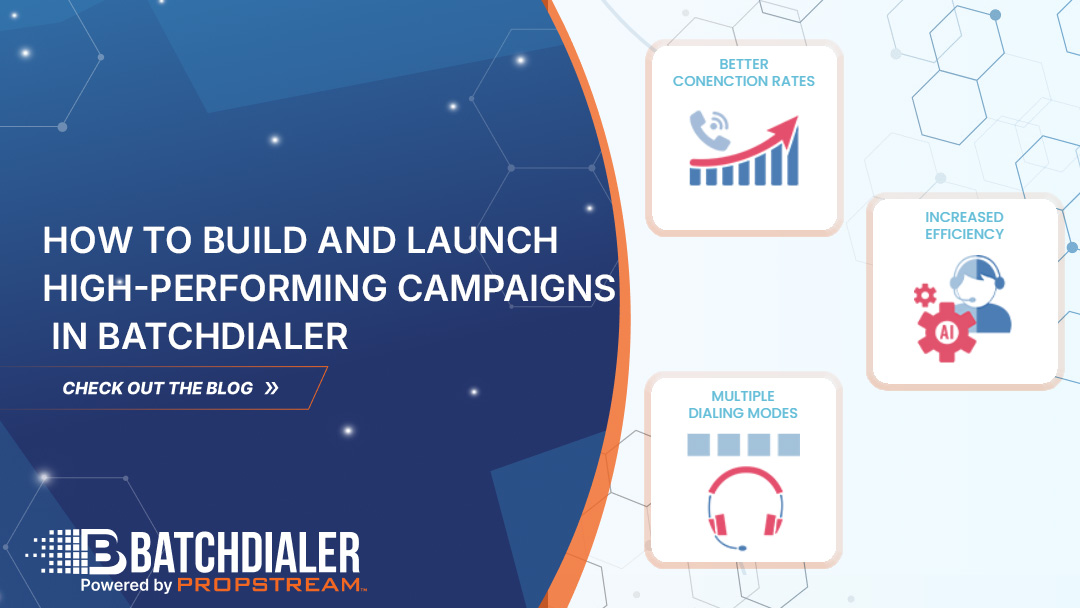
High-performing cold calling campaigns don’t happen by accident. They require the right tools and know-how. In this guide, we’ll walk you through how to use BatchDialer to take your next outbound call campaign to the next level.
What Makes a High-Performing Outbound Calling Campaign
Cold calling campaign performance can be measured in many ways, including the number of connected calls, booked appointments, and calls per hour. But the most successful campaigns have one thing in common: They balance high-quality leads with appropriate workflows.
For example, instead of blindly calling as many prospects as possible, veteran cold callers narrow their lead list to qualified prospects only and choose the appropriate dialing mode for their situation (more on this later). In short, it’s not just about call volume. It’s about strategy.
This is what BatchDialer was made for: scalable and strategic outbound calling. If you’re ready to see real results from your cold calls, our purpose-built platform can help you do so.
Check out the tutorial below to learn more.
Step #1: Prepare Your Lead Lists Before Import
The first step to a high-performance call campaign is to identify high-intent prospects. This usually involves curating clean, targeted lead lists with a tool like PropStream.
For example, PropStream has 20 Lead Lists for different selling motivations, such as high equity, pre-foreclosure, and absentee ownership status. After building a list of prospects that meet your target lead profile, you can use PropStream’s skip tracing feature to get their phone numbers.
Here’s a video demonstration of how to prepare a lead list inside PropStream and then export it:
Also Read: 5 PropStream Lead Lists to Elevate Your Real Estate Lead Gen Game
Step #2: Import Contacts Into BatchDialer
Next, import your lead list into BatchDialer. You can do this by uploading the lead list in CSV file format and then mapping the data to the appropriate data fields (first name, last name, address, phone number, etc.). You’ll be asked to resolve any data discrepancies, errors, or omissions.
Alternatively, lists created in PropStream can be pushed directly to BatchDialer using the Push to BatchDialer feature.
Either way, it’s best practice to upload no more than 3-5 phone numbers per contact, register the phone numbers you’ll use to call prospects, and set appropriate dialer settings, such as limiting your calls to 75-100 dials per day per phone number.
Step #3: Choose the Right Campaign Type (Preview vs. Predictive)
When creating a new call campaign within BatchDialer, you’ll be prompted to choose one of two dialing modes: Preview Dialer or Predictive Dialer.
Preview Dialer lets you call one person at a time and view their contact information, property details, notes, etc., before you click the call button. Consequently, this mode is best for higher-value, research-heavy conversations.
A Predictive Dialer allows the system to dial multiple phone numbers simultaneously, with their contact information automatically populated. This mode is best for high-volume campaigns and maximizing call speed.
Keep in mind that the campaign type you choose can affect metrics like talk time, connection rates, and agent productivity. For instance, you may see the average number of calls per agent drop with the Preview Dialer while average talk time increases.
Pro Tip: Match the campaign type to lead quality, not just call volume goals. For instance, sometimes it’s better to be prepared for high-stakes calls with Preview Dialer mode than to make as many calls as possible with Predictive Dialer mode.
Step #4: Configure Campaign Settings for Performance
Your campaign performance is also tied to your campaign settings.
In BatchDialer, you can adjust how calls are prioritized in the call queue, lead scoring tags, the maximum number of calls assigned per agent, and much more. Base your campaign configuration on your business goals and on how your team performs best.
Ultimately, a thoughtful setup and consistent optimization based on agent feedback can reduce dropped calls and agent idle time, boosting your overall campaign performance.
Step #5: Launch Your Campaign and Monitor Early Results
As soon as you launch a campaign in BatchDialer, you’ll have access to real-time campaign statistics like calls made, calls answered, and how calls were marked under different call results, such as “abandoned,” “call back,” “do not call,” not interested,” and “successful sale.”
You’ll also see the total number of agents assigned to a campaign and the total number of contacts attached to it. Once all contacts have been dialed and no further dials are pending, the campaign will be marked as “completed.”
As your calling campaign progresses, pay attention to early performance indicators such as:
- Live connections
- Call outcomes
- Agent activity
- Call results & disposition
By actively monitoring campaign performance, you can identify areas for improvement and adjust accordingly. Early optimization can then help prevent wasted call volume later.
Step #6: Optimize Campaigns Over Time
Again, high-performance teams don’t just focus on call volume. They iterate on what works best, whether that means refining lead lists, adjusting dialing modes, or updating call scripts.
With BatchDialer’s real-time reporting features, you can have a clear view of what’s working and what’s not in no time. That way, you can start optimizing your current and future campaigns.
Ready to scale your outreach and close more deals?
Start your free 7-day trial of BatchDialer today!
Frequently Asked Questions (FAQs)
How do I set up campaigns in BatchDialer?
To set up campaigns in BatchDialer, first import your contacts via CSV or a PropStream integration. Then choose between Preview and Predictive Dialer mode, configure your campaign settings, and launch while monitoring real-time performance metrics.
What’s the difference between Preview Dialer campaigns and Predictive Dialer campaigns?
Preview Dialer campaigns allow agents to review contact and property information before manually dialing, while Predictive Dialer campaigns automatically connect agents to answered calls to maximize call speed and volume.
How do I import contacts into BatchDialer?
BatchDialer contact import can be done by uploading a CSV file containing your lead data and mapping the appropriate fields, or by using the “Push to BatchDialer” in PropStream.
How can I use BatchDialer for outbound calling campaigns in real estate?
BatchDialer integrates into real estate dialing workflows by allowing you to import skip-traced leads from tools like PropStream, select the appropriate dialing mode for your lead type, and track performance metrics such as connections and appointments in real time.
What makes high-performing calling campaigns different from regular cold calling?
High-performance calling campaigns balance lead quality with strategic workflows. They do this by using targeted lead lists, appropriate dialing modes, optimized campaign settings, and continuous performance monitoring rather than focusing solely on call volume.