
Get a summary of this article with your favorite AI:
Disclaimer: BatchDialer supports responsible outbound calling. Customers are responsible for ensuring their outreach complies with all applicable federal, state, and local laws, including TCPA, TSR, and Do Not Call requirements.
Key Takeaways:
- High call volume alone doesn’t automatically cause spam labels, but poor calling practices and low answer engagement can increase the risk.
- Carriers, analytics providers, and consumer feedback all contribute to determining whether a number is labeled “Spam Likely.”
- Maintaining a healthy phone reputation requires a combination of compliance, business verification, number management, and positive calling behavior.
Nearly 86% of unknown calls go unanswered, making caller trust more important than ever for businesses that rely on outbound calling.
If your number is labeled “Spam Likely,” many prospects won’t answer your call. The surprising part? It can happen to legitimate businesses, too.
Fortunately, high-volume calling isn’t the problem. Maintaining a healthy phone reputation is. In this guide, we’ll explain why business numbers get flagged, what carriers look for, and the best practices that can help keep your outbound calls reaching more prospects.
Common Terms Every High-Volume Caller Should Know
Before discussing how to avoid spam labels, it’s helpful to understand a few common terms you’ll encounter throughout this guide.
- High-Volume Caller: A business or professional that makes a large number of outbound calls as part of their daily operations.
- Phone Reputation or Caller ID Reputation: A measure of how trustworthy your phone number appears to carriers and call analytics providers based on your calling history and consumer feedback.
- Calling Patterns: The way calls are placed, including factors like call frequency, duration, and repeat attempts, which carriers may use to identify suspicious activity.
- Business Verification: The process of confirming your business identity so carriers and analytics providers can recognize your calls as coming from a legitimate organization.
- Spam Likely: A caller ID label displayed when carriers or analytics providers believe a call may be unwanted based on reputation signals and other factors.
- STIR/SHAKEN: An industry framework that helps authenticate caller ID information to reduce illegal caller ID spoofing.
- Call Authentication: Technology that helps verify a call originates from the phone number displayed on the recipient’s caller ID.
With these terms in mind, let’s look at why legitimate business numbers can still end up with a “Spam Likely” label.
Why Do Business Phone Numbers Get Labeled as Spam?
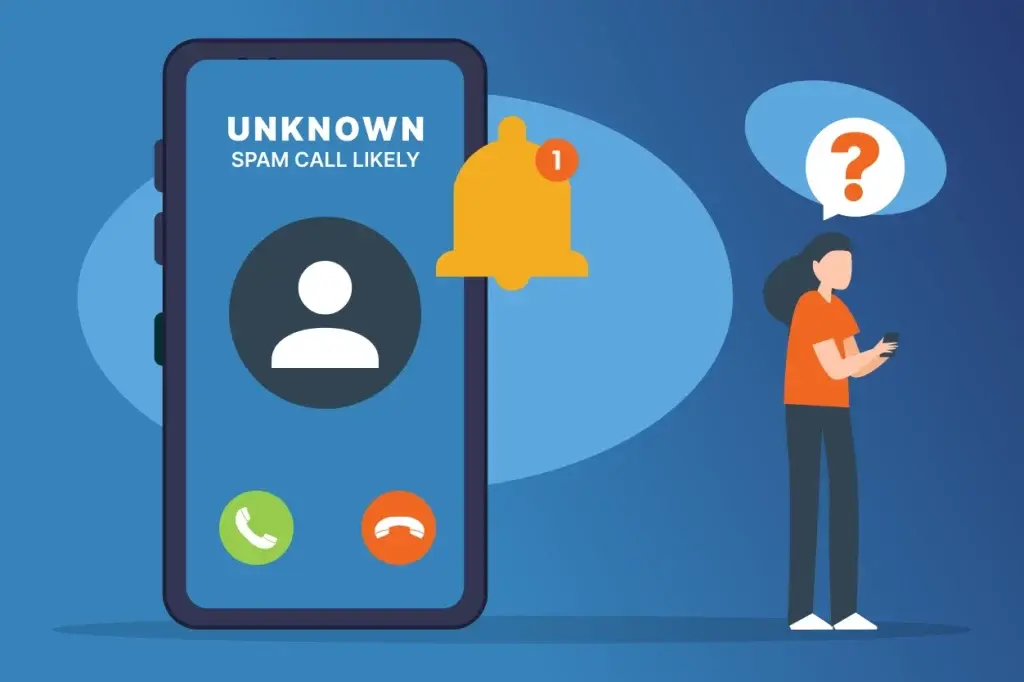
Receiving a “Spam Likely” label for your business number doesn’t necessarily mean you’ve violated telemarketing regulations or intentionally engaged in suspicious calling practices. In many cases, carriers and call analytics providers use automated systems to evaluate whether a call appears trustworthy.
Rather than relying on a single factor, carriers evaluate multiple signals to build a picture of your phone’s reputation. Here are some of the most common reasons business calls get flagged as spam.
Consumer Feedback
If enough recipients ignore, block, or report your calls as spam, carriers and call analytics providers may interpret those actions as a sign that your calls are unwanted. Over time, repeated negative feedback can affect your phone reputation—even if your business is legitimate.
Call-Blocking Apps
Today, spam detection isn’t limited to third-party apps like Truecaller. Many smartphones and mobile carriers now include built-in caller ID and spam protection features that can warn users about suspicious calls before they answer. These systems rely in part on user feedback, meaning that if enough recipients block or report a number, even legitimate business numbers can end up being flagged as “Spam Likely.”
Note: Google’s Phone app includes built-in Caller ID and Spam Protection, allowing users to report spam calls and help improve future spam detection. Apple also supports call identification through iOS and works with approved caller ID apps, while newer iPhone features like Call Screening further reduce unwanted calls.
Unverified Business Identity
Businesses that haven’t verified their identity or authenticated their calls may have a harder time establishing trust with carriers and can potentially be flagged as spam. Verification helps confirm that your calls are coming from a legitimate organization.
Poor Phone Reputation
A poor reputation can increase the likelihood of your calls being labeled as “Spam Likely.” Your phone reputation is influenced by a combination of factors, including repeated spam reports against the same number, calling patterns, call authentication, business verification, answer and block rates, and how consistently individual phone numbers are used over time.
Together, these signals help carriers and call analytics providers determine whether your calls appear trustworthy.
Pro tip: Find out if your business numbers have a spam label before it impacts your answer rates with BatchDialer’s Free Spam Checker.
How Can Getting Flagged Affect Your Business?
If your number shows “spam likely,” the answer rate of your calls is going to go down significantly. Now, to reach out to more potential customers, you will need to make more calls, and making more calls means that you need to invest more money. Moreover, it can also affect your customer experience. It might affect your trust score in front of both existing customers and potential customers.
Several highly dependent industries on time-sensitive communications, such as healthcare or education, may be affected more negatively. Some also wait to check the number of calls made by a number in a specific time span and then flag them if they look suspicious.
How to Avoid Getting Flagged: A Few Tips to Consider
Know the Guidelines
The first thing that you need to do is comply with regulations established by the FCC. The FCC has its own set of guidelines that a company must follow to avoid being flagged.
One of the guidelines included in the Telemarketing Sales Rule (TSR) states that telemarketers aren’t allowed to call people who are listed in the National Do Not Call Registry. As a caller, it’s your responsibility to follow this rule and not call people who fall under this category. If you continue calling them, they might block you, and you can get labeled as a spammer.
Focus on User Experience
If your customers answer your calls frequently or call you back, you’re less likely to get a spam label.
One of the best strategies to encourage your customers to pick up your calls is to track the time of the day when they are available to take calls and then call them at that time. This way, people will start to pick up your calls more, and that will reduce the chances of getting flagged. And if your customers don’t answer, make sure to leave a voicemail to let them know who you are and why you were calling them. This will allow them to know about you and lessen the chances of them reporting your number.
Use a Few Different Numbers
When you use different numbers to call potential customers or even existing ones throughout the day’s call, you reduce the number of calls per hour or per day made by a single number. As a result, your numbers will not get automatically flagged by the carrier or the service providers.
How BatchDialer Makes It Easier to Avoid Spam Labels
As a high-volume caller, avoiding spam labels isn’t a one-time task. The more calls you make, the more difficult it becomes to manually monitor number health, manage business verification, maintain compliance, and respond to reputation issues before they affect your answer rates.
BatchDialer simplifies this by bringing caller reputation, compliance, and business verification together in one platform.
DNC & Litigator Scrub
One of the easiest ways to protect your phone’s reputation is to start with a clean calling list. BatchDialer’s DNC & Litigator Scrub serves as your first line of defense by screening contacts against the Federal Do Not Call (DNC) Registry, internal suppression lists, and litigator lists before a campaign begins. You can also exclude specific phone numbers, area codes, or states from future outreach.
Scrubbing your lists before dialing helps reduce unnecessary complaints, supports compliance, and lowers the chances of your business numbers being reported as spam. Instead of reviewing contacts one by one during a campaign, you can launch with greater confidence knowing your list has already been cleaned.
Related read: DNC Scrubbing, Caller ID Reputation & Risk-Reduction Workflows
BatchDialer Remediation: One-time proactive business verification
BatchDialer Remediation offers proactive business verification through a simple one-time verification process. Once your business is verified, the verification extends to your current and future BatchDialer numbers, as well as eligible externally purchased numbers, helping establish trust with participating carriers and reduce the likelihood of spam labels.
Learn more about BatchDIaler Remediation below
With Business verification included across all BatchDialer plans, it’s never been easier to protect your phone reputation. Try BatchDialer free for 7 days.
Advanced Phone Reputation Monitoring with Automatic Number Replacement
Phone Reputation Monitoring helps you proactively monitor the health of your outbound phone numbers across multiple reputation providers. From a single dashboard, you can see which numbers are being monitored, identify numbers that have recently been flagged, view provider-specific reputation results, and spot potential issues before they begin affecting answer rates.
Here is an interactive demo on how it works:
To further reduce manual work, Automatic Number Replacement automatically replaces eligible monitored numbers that become flagged as spam. Instead of pausing campaigns to purchase and configure new numbers, your team can continue outreach with minimal disruption.
Phone Reputation Monitoring is included with every BatchDialer plan, while Automatic Number Replacement is available on Pro and Enterprise plans.
Bonus Feature: Smart Local Presence
While Smart Local Presence doesn’t directly protect your phone’s reputation, it can help improve answer rates. By automatically displaying a legitimate local area code phone number associated with your BatchDialer account, prospects are more likely to recognize the area code and answer your call. It’s a simple way to create a more familiar calling experience without relying on caller ID spoofing.
Related read: What Is Local Presence Dialing and How Does It Improve Phone Number Reputation?
Start your 7-day free trial and follow along.
To Sum Up
High-volume cold calling doesn’t have to come at the expense of your phone reputation. While no business can completely eliminate the risk of receiving a “Spam Likely” label, following responsible calling practices, maintaining compliance, verifying your business, and monitoring your phone numbers can significantly reduce the chances of being flagged.
Remember, your caller ID is often the first impression a prospect has of your business. By protecting your phone reputation and using the right tools like BatchDialer to support your outreach, you can improve answer rates, build trust with prospects, and keep your outbound campaigns performing their best.
Frequently Asked Questions (FAQs)
Can legitimate businesses be labeled as “Spam Likely”?
Yes. A “Spam Likely” label doesn’t necessarily mean a business has violated telemarketing regulations. Carriers and call analytics providers evaluate factors such as consumer feedback, calling patterns, business verification, and phone reputation. Even legitimate businesses can be flagged if their numbers receive enough negative signals.
How can I check if my phone number has been labeled as spam?
You can use a phone reputation or spam checker to see whether your business numbers have been flagged by major reputation providers. Regularly checking your numbers helps you identify issues before they begin affecting answer rates.
Does making a high volume of calls automatically cause spam labels?
No. High call volume alone isn’t enough to trigger a spam label. Carriers also consider factors such as answer rates, spam reports, business verification, call authentication, and overall calling behavior when evaluating phone numbers.
What is the best way to improve my phone’s reputation?
Start by following telemarketing regulations, verifying your business, maintaining clean calling lists, using responsible calling practices, and monitoring your phone numbers regularly. Together, these steps help build trust with carriers and reduce the likelihood of spam labels.
Does business verification guarantee my calls won’t be flagged?
No. Business verification helps participating carriers recognize your organization as legitimate, but it doesn’t guarantee your calls will never receive a spam label. It’s one part of a broader phone reputation strategy that also includes compliance, positive calling behavior, and ongoing reputation monitoring.
What should I do if my business number has already been flagged?
First, check your phone number’s reputation to confirm whether it has been flagged. From there, consider completing business verification, monitoring the number for future changes, and replacing numbers that have developed a poor reputation. Taking action early can help restore caller trust and reduce future reputation issues.