Disclaimer: BatchDialer is designed to support responsible outreach, and customers should ensure their prospect connection practices comply with applicable laws and obtain any required permissions.
Key Takeaways:
- Qualify and segment your leads in PropStream before calling them, filtering by equity level, pre-foreclosure status, and other potential selling motivations.
- Use PropStream’s Push-to-BatchDialer feature to sync segmented lists directly into your dialing campaigns to eliminate the need for manual exports.
- Match your dialer mode to your lead type: Predictive Mode for high-volume motivated sellers and Preview Mode for complex or sensitive leads.
Before you start a high-volume dialing campaign, you should qualify your leads. This can improve connection rates, talk time, and conversion ratios before you ever start dialing.
One way to qualify leads from the get-go is to source and segment them in PropStream, which includes records on over 160 million properties nationwide and 165 search filters.
In this article, we’ll explain how to integrate PropStream with BatchDialer to ensure your outbound outreach isn’t just volume-driven, but data-driven as well.
Why Generic Calling No Longer Works
The reason generic cold calling no longer works is that most people avoid calls from unknown numbers. According to LinkedIn, it takes 18 or more dials to reach a prospect with cold calling.
Plus, phone carriers monitor engagement signals and connection rates. If yours are low, the carrier may flag your number as potential spam, further hurting your answer rates.
As a result, it’s best to focus on strategic—not random—dialing. The real question is how.
Step 1: Build High-Intent Lists in PropStream
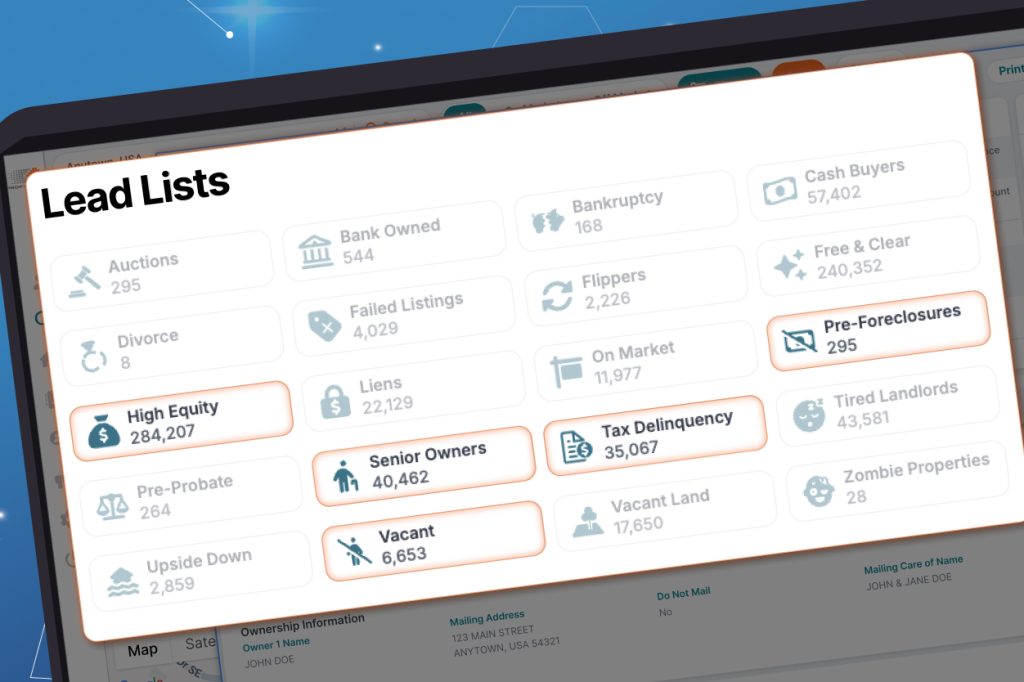
First, filter homeowners by different potential selling motivations.
For example, PropStream lets you filter results by equity level, pre-foreclosure status, tax delinquency filings, ownership length, and whether they are absentee owners. You can even stack multiple filters to create hyper-focused lead lists.
By focusing on specific lead types, you can lay the foundation for your cold outreach.
Also Read: 5 Motivated Seller Lists Every Investor Should Pull.
Step 2: Segment by Motivation and Strategy
Once you’ve created different lead lists based on selling motivation, segment leads based on their current status in your pipeline. For instance, you may create separate lists for brand-new, follow-up, high-leads, and long-term-nurture leads.
Now you know how to approach each conversation by lead type (pre-foreclosure, absentee owner, etc.) and by the prospect’s familiarity with you and your service. In other words, you’re not just filtering leads, but making it easier to strategize what you’ll say to them over the phone.
Step 3: Use Push to BatchDialer for Seamless Sync
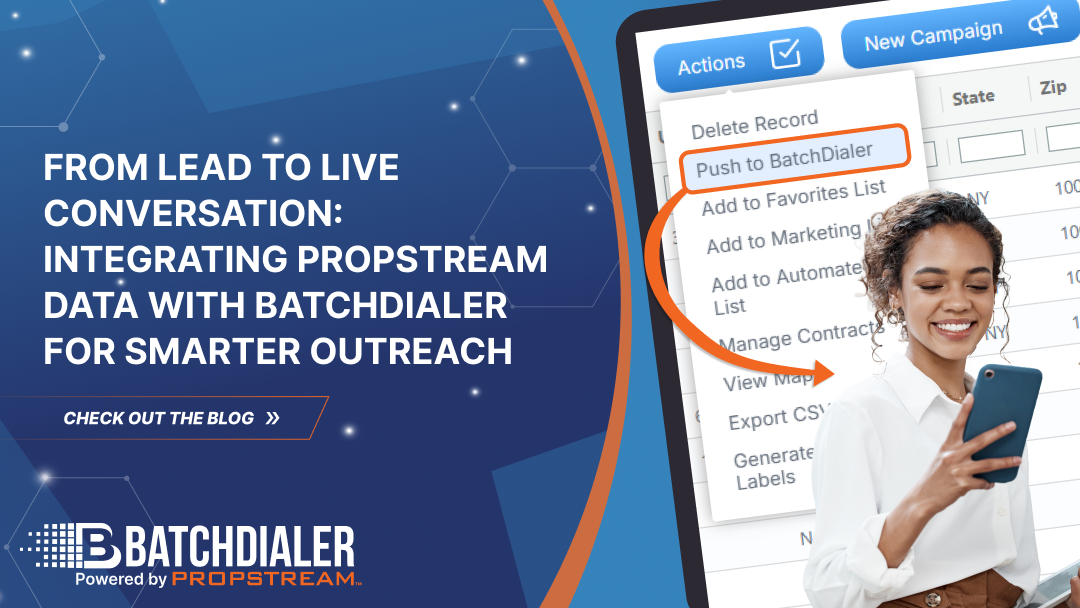
Next, push your segmented lists directly into BatchDialer via PropStream’s Push to BatchDialer feature. This uploads your lists to BatchDialer so you can start cold calling immediately without the hassle of CSV exports and manual data entry. Additionally, Push to BatchDialer keeps all your lists organized between platforms.
By syncing BatchDialer with PropStream, you can boost your team’s overall productivity at scale.
Step 4: Structure Dialing Campaigns Based on Lead Stage
Lastly, match your dialer settings to the lead type.
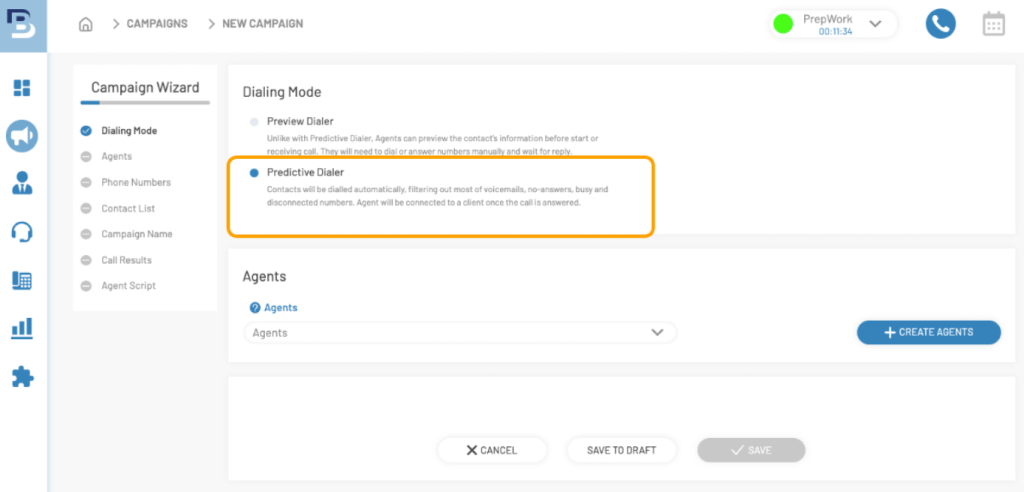
For example, use Predictive Mode for high-volume, high-motivation lead lists and Preview Mode for sensitive or complex lead types. The former helps you dial through predictable leads faster, while the latter gives you time to review unique leads case by case.
You may also want to assign experienced call agents to higher-value lead segments and adjust the dialing pace based on the expected conversation depth.
Why Segmentation and Context Improve Answer Rates

There are many reasons segmentation and lead context improve answer rates.
For one, when you know more about a lead upfront, you can better personalize your phone call. This can improve conversations, leading to fewer blocked numbers and more appointments.
With BatchDialer, this becomes even more powerful. Real-time AI insights provide guided prompts, sentiment analysis, and actionable recommendations during your calls—helping you adjust your messaging on the fly and stay aligned with each conversation.
However, there are also secondary positive effects. Stronger engagement levels signal to phone carriers that your calls are more legitimate and less likely to be spam. Over time, this helps protect your caller ID reputation, reduce spam labeling, and improve overall connection rates.
Pro Tip: All BatchDialer’s plans include free phone numbers and built-in phone reputation monitoring.
Measuring Performance Across the Workflow
You can’t improve what you don’t measure. To optimize your lead-to-call workflow, carefully monitor key performance metrics and adjust your approach accordingly. For example, try to:
- Track answer rates by lead segment.
- Monitor talk time and appointment conversion.
- Compare predictive vs. preview performance.
- Adjust PropStream filters based on real results.
BatchDialer also provides in-depth campaign reporting, making it easy to track dials, answer rates, call outcomes, and overall campaign performance.
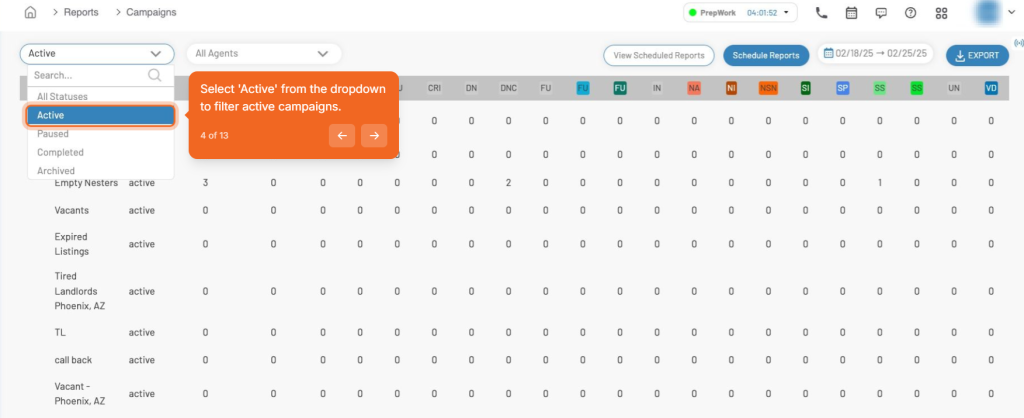
Over time, you’ll learn what works and what doesn’t so that you can refine your methods.
Scaling With Quality Data, Not Just More Calls
Ultimately, the only sustainable path to scaling your real estate business is through quality data.
High-quality, segmented data leads to stronger connection rates and longer talk time. This then signals better engagement to phone carriers, helping you avoid spam filtering. When you get the data right, the connections and appointments follow without needing aggressive dialing tactics.
This is why the top-performing outbound teams in 2026 are not the ones making the most calls. They’re the ones calling the right people at the right time with the right campaign structure.
Ready to join them? Use PropStream to segment high-intent sellers, push lists directly into BatchDialer, and launch structured dialing campaigns that convert.
Start your BatchDialer 7-Day Free Trial Now!
Frequently Asked Questions (FAQs)
How does the PropStream-to-BatchDialer integration work?
PropStream’s Push to BatchDialer feature lets you send lead lists directly into your BatchDialer campaigns with a few clicks, so you can immediately start a targeted call campaign.
Is there a cost to push leads from PropStream to BatchDialer?
No—there are no additional fees to push leads from PropStream to BatchDialer. You can use the integration at no extra cost as long as you have active subscriptions to both platforms.
How can I improve my dialing connection rates?
Using BatchDialer’s built-in phone reputation monitoring helps maintain your number health, improving answer rates and overall performance.
Is there a limit to how many leads I can push?
There’s no limit on the number of leads you can push, but usage may depend on your PropStream subscription and the size of your list.
What is a segmented lead calling strategy?
It’s the practice of grouping leads by specific criteria, like equity level, distress indicators, or ownership duration, so your pitch is relevant to each group before you ever dial.
What filters should I apply in PropStream to create the most effective dialing strategy?
Start with high-intent signals like pre-foreclosure status, tax delinquency, absentee ownership, and high equity to build a list of leads most likely to have a reason to sell.
Will segmenting my leads before dialing improve my talk time and conversion ratios?
Yes, it can. When your lead list is tightly defined, fewer calls end in dead ends, and more lead to conversations with people who actually fit your target lead profile.
What does an outbound workflow look like when PropStream and BatchDialer are connected?
You filter and segment leads in PropStream, push them directly into a targeted BatchDialer campaign, and dial with a script already matched to that lead type. This helps you move seamlessly from data to live conversations.
Is this integration only useful for investors, or can traditional agents benefit too?
Both investors and agents can benefit. Whether you’re chasing your next acquisition or prospecting for listings, calling segmented data-backed leads can make every campaign more effective.