
Disclaimer: BatchDialer does not offer legal advice. This article is for educational purposes only. Consult a legal professional before cold calling prospects or using a real estate dialer.
Key Takeaways:
- Scrub your lead lists against DNC registries and known litigators before launching any cold-calling campaign, ensuring a clean list and reducing spam reports from the outset.
- Limit calls to roughly 75-100 per number per day and dial only between 8 a.m. and 9 p.m. local time to avoid triggering spam-detection algorithms.
- Proactively monitor your caller ID reputation across carriers so you can rotate or replace flagged numbers before they damage your connection rates.
The more cold calls you make, the higher the risk that your number receives a “spam” label, which could hurt your answer rates. However, the right dialer settings and call workflow can help protect your number reputation even while you scale your outbound call volume.
Why Compliance and Reputation Come Before Call Volume
According to a recent report, Americans get 2.5 billion robocalls a month, the highest level in years. In response, governments and phone carriers are starting to crack down on unsolicited calls with spam-blocking algorithms that can sometimes affect legitimate calls.
For example, if a dialing behavior looks suspicious, many phone carriers will flag the number as “Potential Spam” or “Spam Likely.” Since consumers are wary of scams, they often won’t answer such calls, and your connection rates may plummet as a result.
This is why compliance and reputation management are so important. They help ensure you at least have a chance of talking to prospects over the phone. In reality, they’re prerequisites to scaling your real estate business, not optional safeguards.
What Causes “Spam Risk” and “Scam Likely” Caller ID Labels
Spam detection algorithms vary by phone carrier. However, some common triggers include:
- Too many calls from a single number
- Repeated call attempts to the same contacts
- Calls outside normal business hours
- Low average call duration and high hang-up rates
Such calling behaviors may signal that the caller is using unauthorized robocalling techniques (even if they aren’t). To make matters worse, consumers may mistakenly flag your number as spam in third-party apps, further undermining its reputation.
DNC and Litigator Scrubbing as the First Line of Defense
To minimize false spam labels, use a dialer that lets you scrub numbers from the do-not-call (DNC) registry and known litigators. This is your first line of defense.
For instance, BatchDialer helps you avoid certain numbers, or even entire area codes or states, by adding them to a DNC list. That way, you don’t call prospects who don’t want to hear from you and are more likely to mark your number as spam.
Keep in mind that you must scrub DNC numbers from your lead lists before launching a cold calling campaign, not after. Then you can go into a campaign with a clean list, which reduces spam reports more effectively than reviewing numbers individually as you go.
Best Practices to Protect Your Caller ID Reputation
That said, the fastest way to damage your number reputation is to overdial. Even when you’re calling legitimate leads, aggressive power dialing can lead to more spam labels.
To avoid this, follow these best practices:
- Don’t exceed ~100 calls per number per day (to increase call volume, rotate through multiple numbers)
- Do not retry contacts excessively
- Space retries appropriately
- Dial only during compliant local hours (8 a.m. to 9 p.m. local time at the location called)
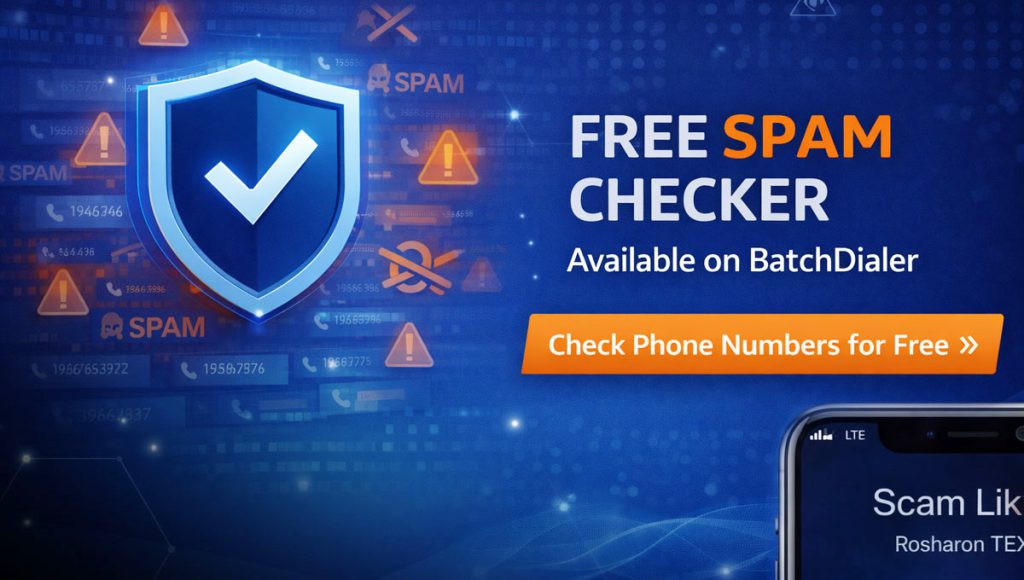
Not sure about your number’s current status? Check it with our free Spam Checker.
Importance of Monitoring Caller ID to Detect Reputation Issues Early
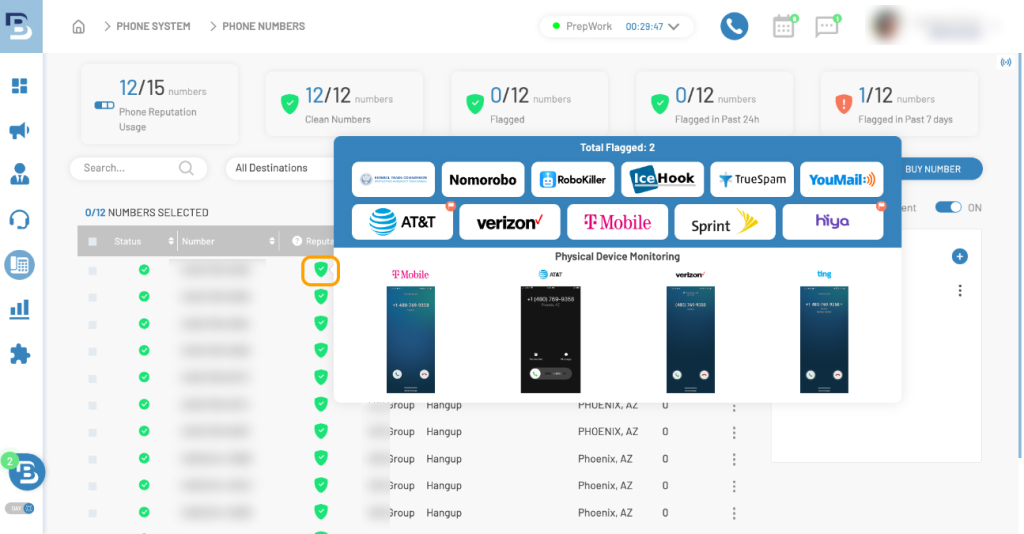
To stay on top of the reputation of all of your numbers, it helps to proactively monitor how they appear on real devices. How? By using BatchDialer’s advanced phone reputation capabilities (only available on Advanced Plans).
All you have to do is hover your mouse pointer over the Green icon under the Reputation column in your phone number list. You’ll then see exactly how your number appears on different phone carriers like T-Mobile, AT&T, and Verizon.
This lets you identify spam labels early and rotate or replace phone numbers before the damage spreads. In fact, BatchDialer can automatically replace numbers with negative labels because it actively monitors 10+ sources for them.
Managing Internal DNC Lists to Prevent Repeated Issues
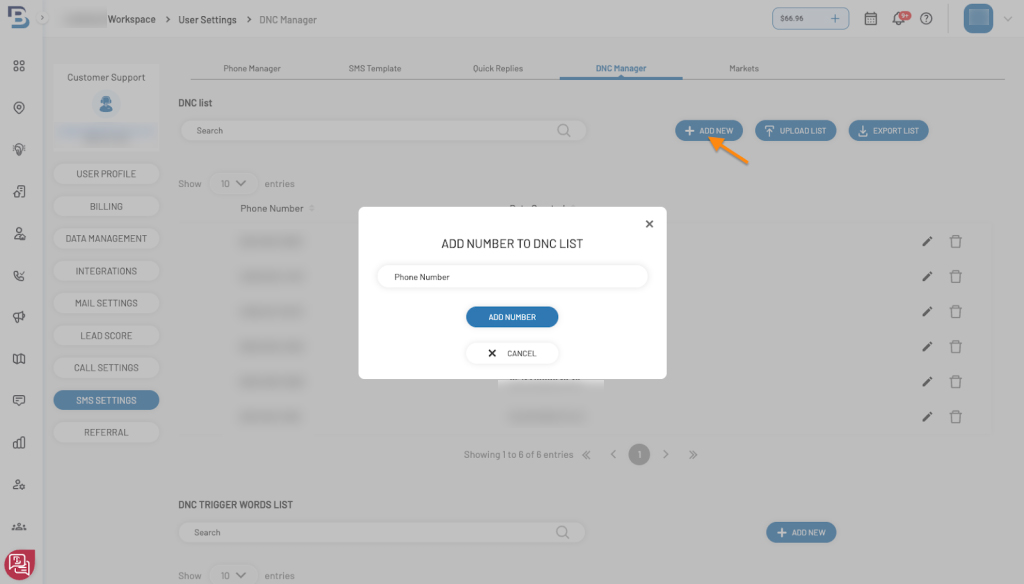
BatchDialer also makes it easy to avoid calling uninterested prospects who may label your number as spam. The platform has a dedicated Do-Not-Call (DNC) Manager, where you can add single phone numbers or upload entire CSV lists of numbers you wish to avoid calling.
You can even add trigger words and phrases that will automatically put someone on the DNC list, so that you don’t need to mark these numbers manually. That said, when a number has been on your DNC list for a long time, you may want to remove them to see if their interest has changed (you can sort DNC contacts by age to help determine this).
Ultimately, maintaining an internal DNC list helps prevent accidental re-dialing that could lead to complaints and harmful spam labels.
Start Protecting Your Number Reputation with BatchDialer
The bottom line—your caller ID reputation directly impacts your conversations, and in turn, conversions. By following the procedures above, you can ensure the best ROI from your cold-calling efforts, even when dialing at scale.
Not sure where to start? Use BatchDialer’s compliance-first tools to scrub risky contacts, manage dialing behavior, and keep your outbound campaigns scalable and trusted.
Start your BatchDialer 7-Day Free Trial Today!
Frequently Asked Questions (FAQs)
What is DNC scrubbing in real estate, and why does it matter?
In real estate, DNC scrubbing is the process of cross-referencing lead lists against federal and internal Do-Not-Call (DNC) lists before launching a campaign. It’s an important step in any calling workflow because it removes contacts who may have opted out of solicitation calls, reducing your legal exposure and spam complaint risk.
What is a litigator scrub, and should I include it in my calling workflow?
A litigator scrub filters out known serial litigators (people who frequently sue callers for TCPA violations) from your lead lists. Including it in your calling workflow adds a critical layer of protection that a standard DNC scrub alone may not provide.
What does TCPA-compliant dialing look like in practice?
TCPA-compliant dialing means only calling numbers with proper consent or a legitimate business reason to contact, honoring DNC requests, dialing only during federally permitted hours, and following other cold-calling regulations.
How does phone number reputation management affect my call answer rates?
Poor phone number reputation management can cause carriers to flag your numbers as “Spam Likely” or “Potential Spam,” which can dramatically reduce the chances a prospect will answer. Monitoring your numbers across multiple carriers can help keep your connection rates healthy.
How many calls per day is considered safe for compliant outbound calling?
It’s best practice to cap outbound calls at around 100 per number per day as part of a safe dialing workflow. Exceeding this threshold can trigger spam detection algorithms, so rotating through multiple numbers is a smart way to scale your call volume without sacrificing your reputation.
Can my number still get flagged as spam even if I’m following regulations?
Yes, spam labels are often applied algorithmically by carriers based on calling behavior patterns, not just legal compliance. This is why reducing your risk of receiving a spam label requires paying attention to call frequency, call duration, and other suspicious calling patterns.