
.webp)
Get a summary of this article with your favorite AI:
Disclaimer: BatchDialer does not provide legal advice. This article is for informational purposes only. Before cold calling prospects, we recommend researching applicable laws and seeking legal advice as needed.
|
Quick Answer: Build a flexible cold calling script by writing short responses for each likely conversation path, including common objections. Upload it to BatchDialer so you can follow along and get AI call guidance prompts in real time while keeping the conversation natural. |
Cold calls rarely follow a predictable path. A prospect may ask an unexpected question, raise an objection, change the subject, or reveal information that requires you to adjust the conversation.
In such situations, it’s important to have a flexible cold calling script. It can provide enough structure to guide the conversation without requiring you to follow every line word for word.
Read on to learn more about flexible cold calling scripts, how to build one, the power of AI call guidance, common mistakes to avoid, and more.
Key Takeaways:
- A flexible cold calling script gives you enough structure to guide the conversation without forcing you to follow every line word for word.
- BatchDialer’s AI call guidance delivers real-time prompts based on the live conversation, but it should support your judgment rather than replace it.
- Build conversation forks for common responses like “I’m not interested” or “What’s your offer?”, and practice them so they sound natural on real clients.
The Power of Flexible Cold Calling Scripts

A cold calling script is a written framework for guiding your outbound phone conversations. The goal is to provide some structure, so you’re never lost for what to say.
Of course, a cold calling script shouldn’t be too rigid. Every prospect has unique concerns and questions, so your script should be flexible enough to accommodate diverging conversations.
The key is to actively listen to the prospect to determine what they need before guiding the conversation in the appropriate direction. Ultimately, your script should provide needed structure without controlling your every response.
BatchDialer’s AI Call Guidance Feature
BatchDialer lets you upload scripts so you can easily follow along during cold calls. However, the platform also takes it a step further.
With BatchDialer’s AI call guidance feature, you can receive live prompts on what to say during calls. The platform does this by analyzing conversations in real time. Based on the context, it will generate prompts to help guide the conversation in the right direction.
That said, AI call guidance should support your human judgment, not replace it. Otherwise, your conversations may feel robotic, and the prospect may feel unheard. To connect with leads on an emotional level and win their trust, you must show genuine understanding and sympathy.
How to Build a Flexible Cold Calling Script With AI Call Guidance
To build a flexible cold calling script, include conversation forks based on how a prospect might respond. For example, include multiple common objections and how to handle each one.
From there, upload the forked script to BatchDialer. When you place a cold call, the script will be there for you to follow along, as will BatchDialer’s AI real-time call guidance prompts.
Example Script
Here’s an example flexible cold calling script:
Opening
“Hi, is this [Name]? Hey [Name], this is [Your Name] with [Company]. I’m a local real estate investor, and I’m reaching out about your property on [Street]. Did I catch you at an okay time?”
If they’re open to talking:
“Great, thanks. I’ll keep it quick. I buy homes in [Area] directly from owners, usually as-is, so there are no repairs, agent fees, or showings. Have you ever thought about selling?”
Follow up with discovery questions:
- “What’s your situation with the property right now?”
- “If you were to sell, what would be most important to you: price, speed, or convenience?”
- “Is there a timeline you’re hoping to work within?”
If they say, “I’m not interested”:
“Totally understand, and I appreciate you telling me. Out of curiosity, is it that you plan to keep the property long term, or just that the timing isn’t right?”
If they ask, “How did you get my number?”
“Good question. I look through public property records to find owners in [Area]. I’m not trying to bother you, so if you’d rather I didn’t call again, just say the word, and I’ll take you off my list.”
If they say, “What’s your offer” or “How much would you pay?”:
“I'd love to give you a fair number, but I’d want to understand the property first, so I’m not guessing. Can I ask a few quick questions about its condition and what you’re hoping to get?”
If they say, “I’m busy right now”:
“No problem at all. When would be a better time for a quick call?”
Closing (if there’s interest):
“Based on what you’ve shared, it sounds like we could be a good fit. The next step would be [a quick walkthrough / follow-up call / sending over an offer]. Would [day/time] work for you?
Common Mistakes to Avoid
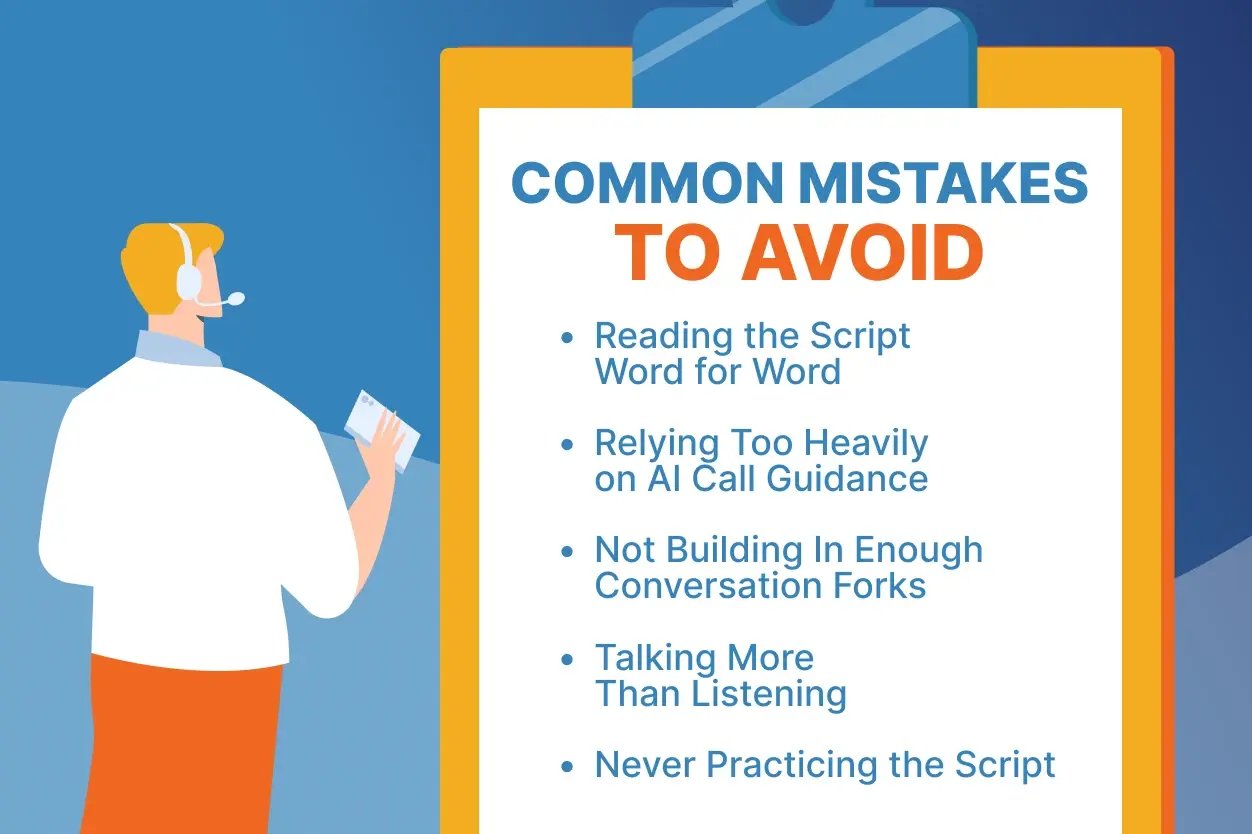
To make the most of your cold calling script, avoid these common pitfalls:
Reading the Script Word for Word
Reciting lines from the script word for word can make you sound robotic. It can also signal to a prospect that they’re just another name on a list. So use the script as a roadmap, not a teleprompter.
Relying Too Heavily on AI Call Guidance
AI prompts are meant to support you when you’re stuck. Don’t use it as a crutch. If you read every suggestion verbatim, you may miss emotional cues, especially with sellers dealing with inherited properties, foreclosure, or divorce.
Not Building In Enough Conversation Forks
A script with only one path may leave you stranded when a prospect goes off-script. Include branches for common responses like “I’m not interested,” “How did you get my number?”, “What’s your offer?”, and “I’m busy.”
Talking More Than Listening
Pitching your service before understanding the prospect’s situation can be a turn-off. Instead, ask open-ended questions and let the prospect do most of the talking, so you can better understand their needs and respond accordingly.
Never Practicing the Script
Even a flexible script takes rehearsal. Role-play common scenarios so the script branches feel natural when a real prospect goes down one. Also, focus on tone, pacing, empathy, and active listening to practice communicating naturally.
Upload Your Script to BatchDialer and Try AI Call Guidance for Free
Ready to take your cold calling scripts to the next level?
With BatchDialer, you can follow custom, flexible scripts and take advantage of AI-powered real-time call guidance during every call. Just upload your scripts to the platform.
Start your 7-day free trial of BatchDialer now!
Frequently Asked Questions (FAQs)
What are cold calling scripts, and why do they matter?
Cold calling scripts are written frameworks that guide your outbound conversations so you’re never at a loss for words. A good one provides structure while leaving room to adapt to what the prospect says.
What is an adaptive sales script?
An adaptive sales script is one that includes multiple paths based on how a prospect responds. Instead of reading a single linear pitch, you move between sections depending on what the prospect says, which keeps the call feeling natural.
What is an objection-handling script?
An objection-handling script is a set of prepared responses to common pushback, such as “I’m busy” or “I’m not interested.” The best ones acknowledge the concern first, then ask a follow-up question rather than arguing.
How do I create a real estate cold calling script?
Start with a short introduction that mentions the property, then add discovery questions about the owner’s situation, timeline, and priorities. Build in branches for common responses like “I’m not interested” or “What’s your offer?” so your script holds up when the conversation goes off track.
What is AI call guidance?
AI call guidance analyzes your conversation as it happens and generates prompts to help you decide what to say next. In BatchDialer, these prompts appear alongside your uploaded script during calls, giving you real-time sales guidance while you stay in control of the conversation.
Should I rely on AI call guidance instead of my script?
No, AI call guidance works best alongside your script and your own judgment. Use the prompts when you’re stuck, but practice active listening and respond in your own voice so prospects feel heard and understood.