

Get a summary of this article with your favorite AI:
How Dialing Hours Protection Helps Teams Manage Outbound Campaigns
Disclaimer: BatchDialer does not provide legal advice. This article is for informational purposes only. Before cold calling prospects, we recommend researching applicable laws and seeking legal advice as needed.
|
Quick Answer: Dialing Hours Protection helps outbound teams reduce compliance risks and manage campaigns more efficiently by automatically restricting calls based on the contact’s area code. While the TCPA generally permits residential telemarketing calls between 8 a.m. and 9 p.m. local time, dialing windows can vary by state. BatchDialer applies an 8 a.m. to 9 p.m. window for most states and a stricter 8 a.m. to 8 p.m. window for Florida, Louisiana, Maryland, Mississippi, and Oklahoma. |
Calling prospects at the wrong hour isn’t just bad form—it can instantly derail an outreach campaign and jeopardize compliance. Federal regulations place strict calling hour restrictions on telemarketers to protect consumers from unwanted disruptions.
In this guide, we’ll break down these call hour restrictions, share step-by-step instructions to configure your campaigns for total compliance, highlight common pitfalls to avoid, and reveal actionable strategies to keep your team calling with confidence.
Key Takeaways:
- The TCPA only allows telemarketing calls to residential numbers between 8 a.m. and 9 p.m. in the prospect’s local time (some areas have stricter windows).
- For nationwide campaigns spanning all four continental U.S. time zones, limiting calls to 11 a.m. to 6 p.m. keeps every prospect within the legal window.
- Setting calling hours and the correct time zone in your dialer, and checking for stricter state rules, is the easiest way to avoid violations.
Legal Hours for Cold Calling
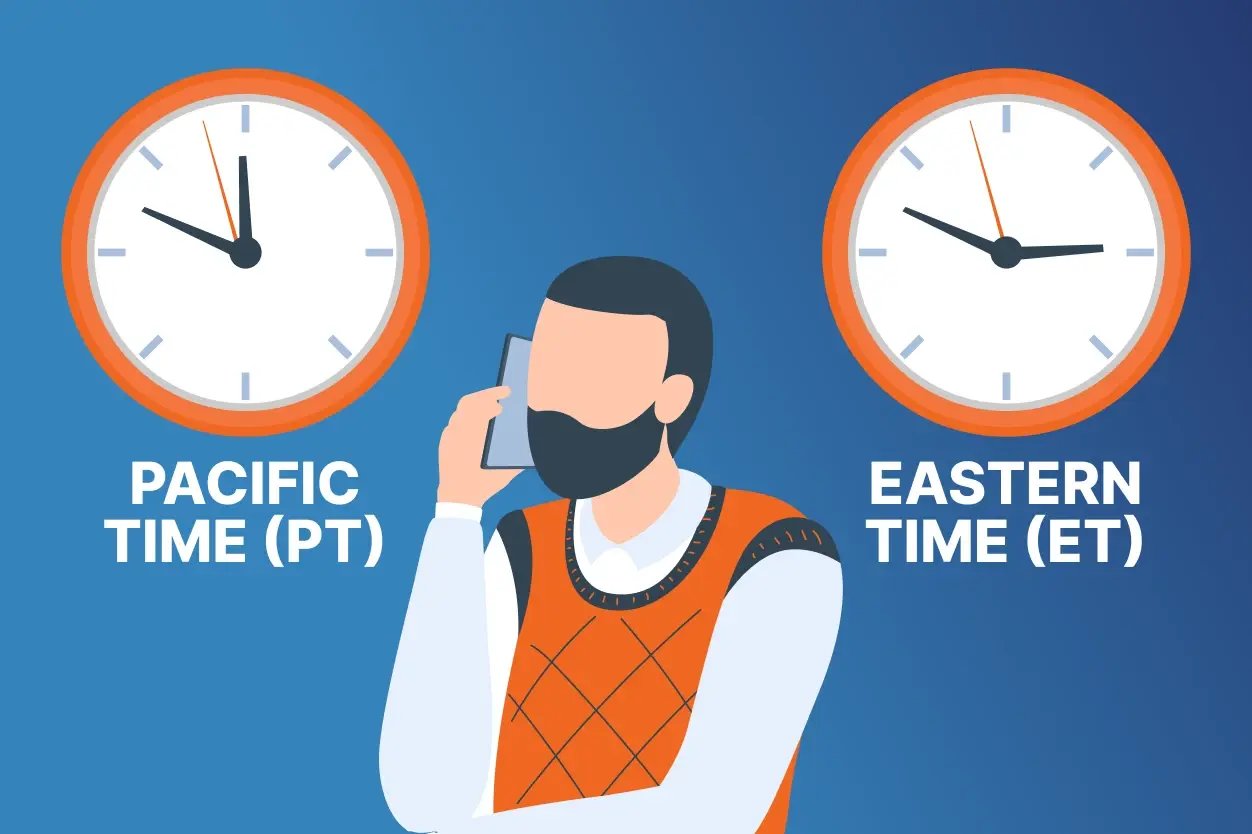
According to the Telephone Consumer Protection Act (TCPA), no person or company can initiate a telephone solicitation to any residential telephone subscriber before the hour of 8 a.m. or after 9 p.m., local time at the called party’s location.
This means if you live in the Eastern Time Zone (ET), for example, and you want to call someone who lives in the Pacific Time Zone (PT), you must do so between 8 a.m. and 9 p.m. their time. If it’s 9 a.m. your time, that’s too early because it would only be 6 a.m. their time.
How to Configure Dialing Hours to Stay Compliant
Fortunately, you don’t need to constantly check the clock to stay compliant with the TCPA’s calling hour regulations. Instead, you can set appropriate time windows for when agents can place calls within your dialing platform.
For example, BatchDialer has a dedicated dropdown menu under its Campaign Wizard labeled Calling Hours. It lets you set specific call windows for each day of the week. Simply select 8 a.m. to 9 p.m. (or a more limited window) and click Apply. Then ensure the Time Zone dropdown menu is set to the appropriate time zone.
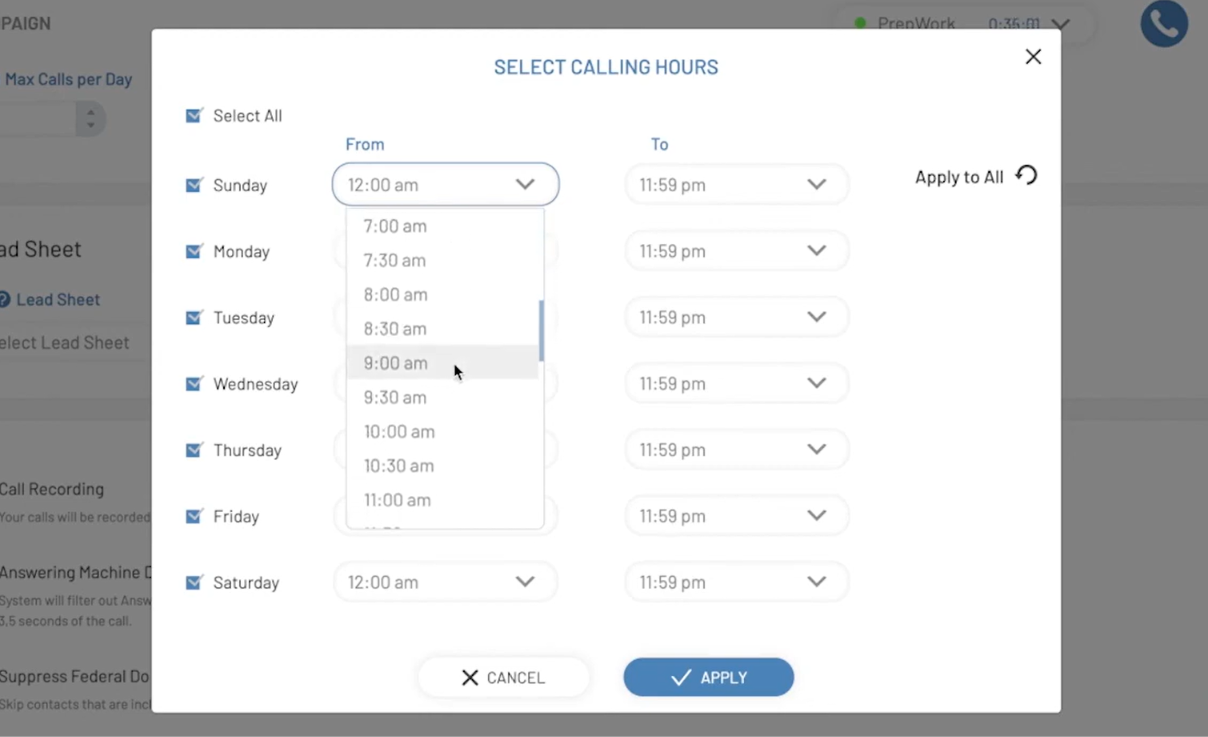
Feature Spotlight: BatchDialer's Dialing Hours ProtectionBatchDialer also comes with Dialing Hours Protection at no additional cost. Enabled by default when creating a new Campaign, this feature automatically restricts calls based on each contact's area code, adding an extra layer of protection when managing campaigns across multiple states and time zones. BatchDialer applies an 8 a.m. to 9 p.m. dialing window for most states and a stricter 8 a.m. to 8 p.m. window for Florida, Louisiana, Maryland, Mississippi, and Oklahoma. Calls outside the applicable dialing window are held as Pending Dials, allowing agents to continue calling other eligible contacts. Since area codes may not reflect a contact's current location, teams should still verify applicable calling restrictions. |
Multi-State Dialing Campaign Example
Of course, maintaining call hour compliance can get more complex when you’re calling prospects across multiple time zones.
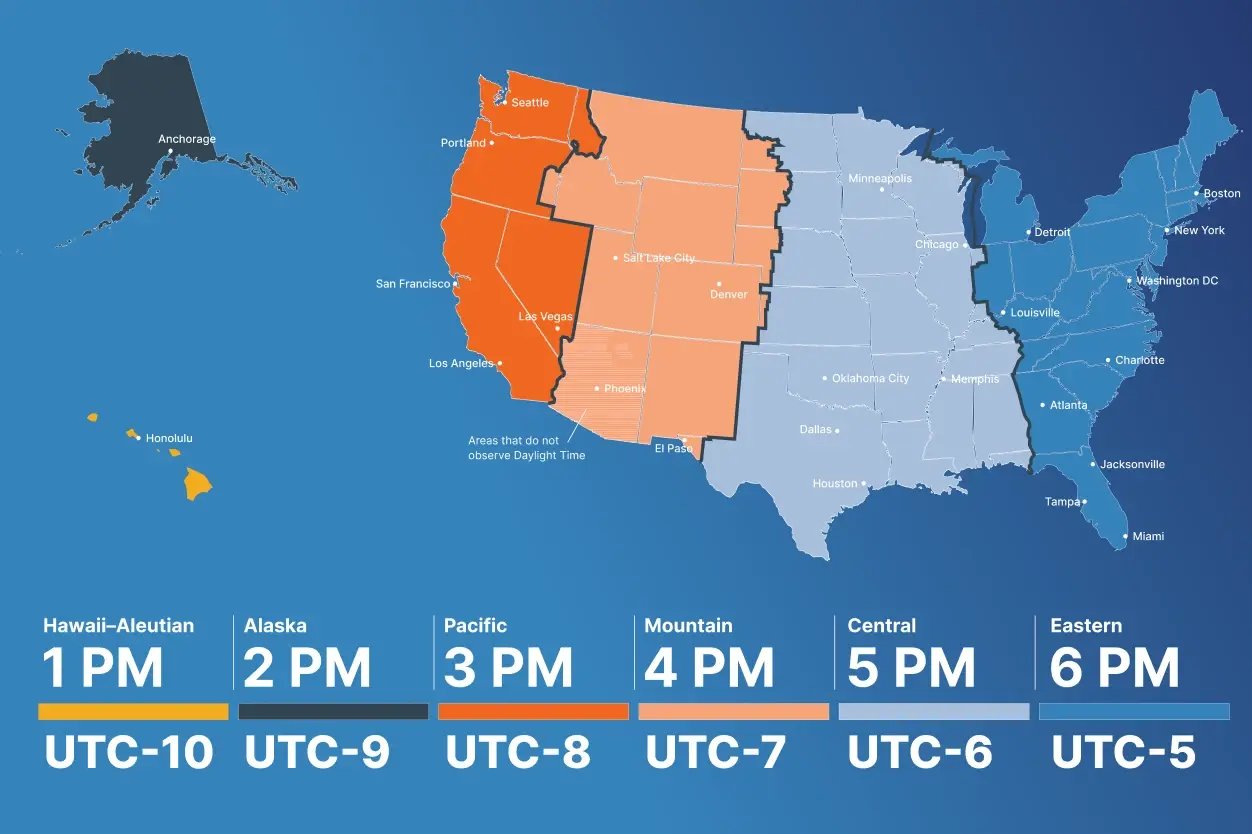
For example, let's say your dialing campaign spans the continental U.S. This includes four separate time zones:
- Pacific Time (PT)
- Mountain Time (MT)
- Central Time (CT)
- Eastern Time (ET)
To comply with the TCPA’s calling hour restrictions, you must ensure you don’t call anyone before 8 a.m. or after 9 p.m. in any of these four time zones.
Pacific Time (PT) sits furthest behind, marking the soonest time agents can start placing calls across the entire contact list. across the nationwide list at 8 a.m. PT. That’s 11 a.m. Eastern Time (ET), which is three hours ahead. Therefore, to avoid calling anyone across all four time zones too early, agents should be restricted from placing any calls before 11 a.m.
Similarly, since Eastern Time (ET) sits furthest ahead, the latest time agents can start indiscriminately placing calls across the nationwide list is 9 p.m. ET. That’s 6 p.m. Pacific Time (PT), which is three hours behind. Therefore, to avoid calling anyone across all four time zones too late, agents should be restricted from placing any calls after 6 p.m.
In short, for a dialing campaign that spans the four primary continental U.S. time zones, the overlapping calling window under the TCPA's general calling hour restrictions is 11 a.m. to 9 p.m. ET (8 a.m. to 6 p.m. PT). Adjust your campaign's calling hours based on the selected time zone and any stricter state or local restrictions.
Pro Tip: In addition to the 8 a.m. to 9 p.m. window set forth federally by the TCPA, some regions have stricter dialing windows (e.g., calling hours end at 8 p.m., or they are limited due to holidays or weekends). To avoid violating these windows, we recommend researching the dialing restrictions for the region you're calling into.
Common Mistakes to Avoid
To prevent call hour violations, avoid these common pitfalls:
Using Your Own Time Zone Instead of the Prospect’s
Instead of setting call hours based on where you or your team is located, base it on where the prospect is located. An 8 a.m. call from the East Coast lands at 5 a.m. on the West Coast.
Forgetting About Stricter Local Restrictions
Some states may have their own telemarketing rules that are stricter than the TCPA, including shorter time windows for calling. Always research local laws before calling.
Overlooking States Split Across Two Time Zones
Some states, such as Florida, Texas, Tennessee, and Kentucky, span more than one time zone. Assigning a single zone to the entire state can put some calls outside the legal call window.
Forgetting Daylight Saving Time Changes
If campaigns are built around fixed time zones (or someone manually adjusting schedules twice a year), hours can easily drift out of compliance after clocks change. Make sure your dialer’s time zone settings adjust automatically, and account for regions that do not observe daylight saving time, such as Hawaii and most of Arizona.
Applying the 8 a.m. to 9 p.m. Window to a Multi-Zone List Without Adjusting
Running a nationwide lead list with an 8 a.m. to 9 p.m. window in a single time zone could result in calls being placed too early or too late. Narrow your calling window, segment your lists by time zone, or use features like BatchDialer's Dialing Hours Protection as an additional safeguard.
Assuming the Area Code Reveals the Prospect’s Location
Cell phone numbers are portable, so a 212 number associated with New York may belong to someone who now lives in California. Where possible, use the prospect's current physical address or ZIP code to determine their time zone, and treat area-code-based assumptions with caution.
Support Calling Hour Compliance With BatchDialer
With configurable calling hours and built-in Dialing Hours Protection, BatchDialer helps your team manage outbound campaigns across multiple time zones, reduce manual oversight, and minimize compliance risks.
Start your 7-day free trial of BatchDialer today!
Frequently Asked Questions (FAQs)
What are the legal outbound calling hours for telemarketers?
Under the TCPA, telemarketers can’t initiate solicitation calls to residential phone numbers before 8 a.m. or after 9 p.m., based on the called party’s local time. These outbound calling hours apply regardless of where your team is located.
What is dialing hours protection?
BatchDialer's Dialing Hours Protection is a built-in feature that automatically restricts calls based on each contact's area code and the applicable dialing window configured by BatchDialer. Enabled by default and available at no additional cost, it helps outbound teams reduce calling hour compliance risks.
Do state calling restrictions differ from the TCPA restrictions?
They can. For example, some states may set shorter windows or restrict calls on Sundays and holidays. Since the TCPA is a baseline rather than a ceiling, outbound calling compliance means following whichever rule is stricter for each state you call into. Check each state’s current regulations before launching a campaign.
How do I manage outbound campaign calling hours across multiple time zones?
You can narrow your campaign's calling hours to an overlapping window (e.g., 11 a.m. to 9 p.m. ET or 8 a.m. to 6 p.m. PT under general federal restrictions), segment your lists by time zone, or use BatchDialer's Dialing Hours Protection as an additional safeguard. Always account for stricter TCPA and local restrictions.
What happens if I call outside the permitted hours?
Violations can lead to complaints, fines, and potential legal action, so it’s best to build safeguards into your process. Consult a legal professional for specifics on penalties.
Is staying within calling hours enough for compliant cold calling?
No, calling hours are only one of many cold calling regulations. You must also respect the do-not-call (DNC) registry, consent requirements, opt-out requests, and other regulations.