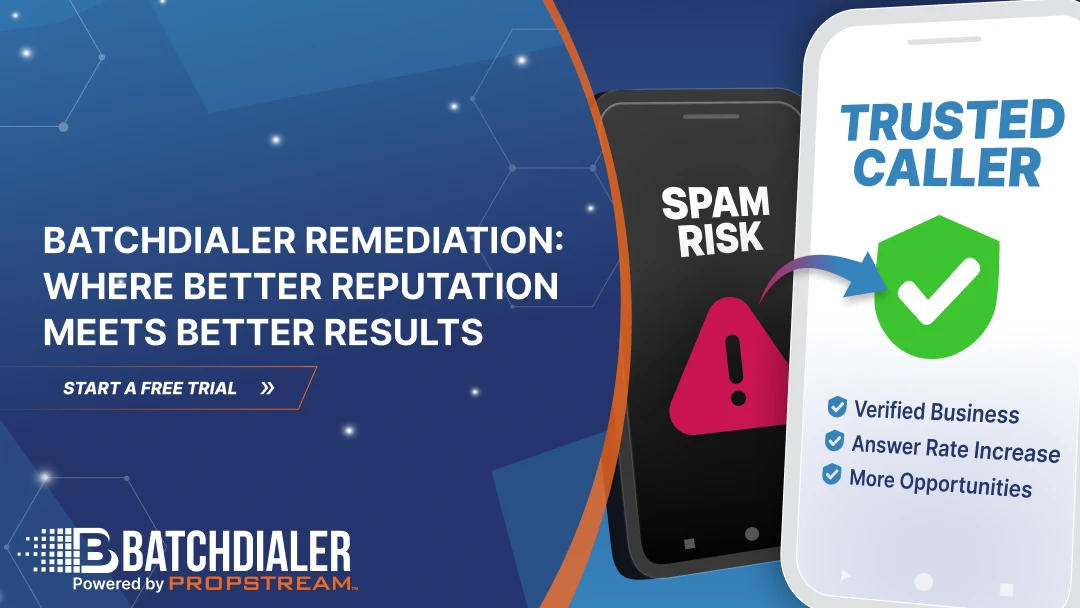
Boosting Caller Reputation for Stronger Results.
Release Highlights
BatchDialer Remediation introduces several new capabilities designed to help users protect caller reputation and maintain healthier outbound calling performance.
- Built-in phone number remediation feature
- Supports both BatchDialer and externally purchased phone numbers
- One-time business verification with automatic future number coverage
- Helps reduce the likelihood of spam flags
- Designed to support stronger answer and connection rates
- Creates more predictable dialing results
- Works across major carriers
- Available across all BatchDialer plans
- No additional cost for remediation verification
BatchDialer Remediation is included within the 7-day free trial. Try it now
Getting your calls answered shouldn’t feel like a guessing game.
As spam labeling and carrier filtering continue to increase, outbound teams are facing greater challenges in maintaining healthy answer rates and connecting with real prospects.
To help users take a more proactive approach to protecting caller reputation and outbound performance, BatchDialer is introducing BatchDialer Remediation. This new feature allows users to verify their business, protecting their phone numbers directly within the platform and helping reduce the risk of spam labeling and improve outbound dialing performance. This release also enhances BatchDialer’s built-in Phone Reputation Monitoring capabilities, helping users maintain a healthier caller ID reputation, stronger answer rates, and take a more proactive approach to long-term outbound calling performance.
Introducing BatchDialer Remediation
BatchDialer Remediation is now available directly in the Phone Numbers section, allowing users to easily complete a guided business verification workflow.
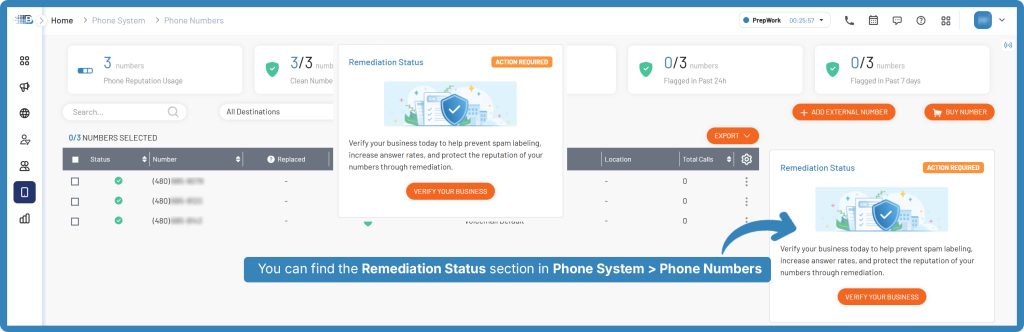
Note: Users will also see an Action Required prompt directly within the Phone Numbers page to begin the remediation process.
Upon clicking Verify Your Business, users will see an informational pop-up outlining the benefits of remediation, the required verification details, and the estimated approval timeline.
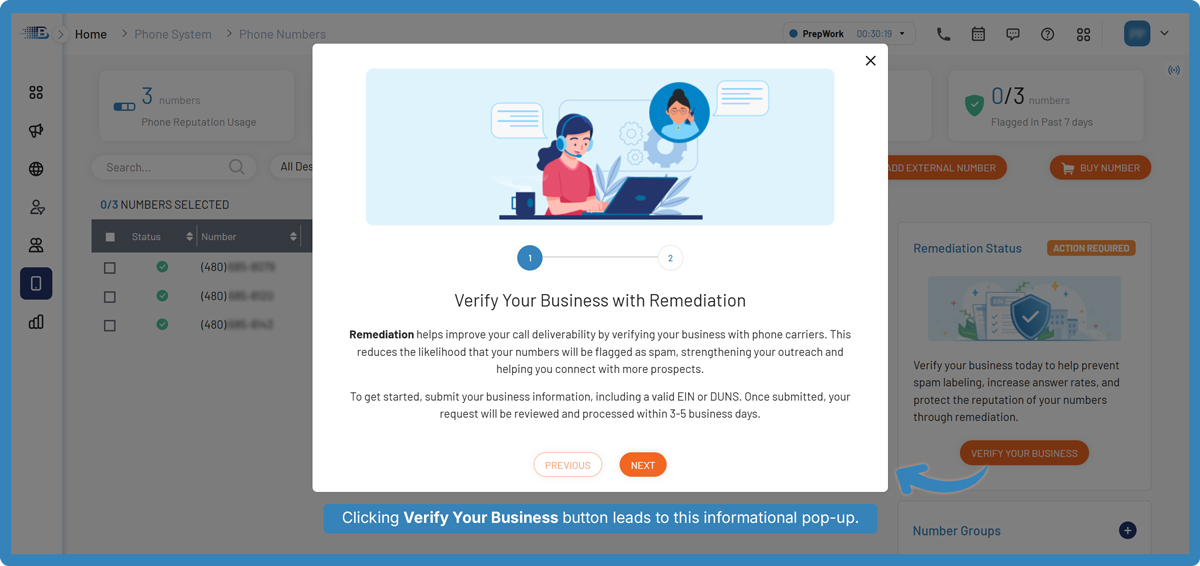
Before beginning the business verification process, we recommend having the following information ready:
- Contact information (name, title, email, phone number)
- Business information (company name, website, employee count)
- EIN or DUNS verification details
- Business address
- Calling activity information (call type, volume, providers)
The next step is to fill out the remediation request form with all required business and calling activity details.
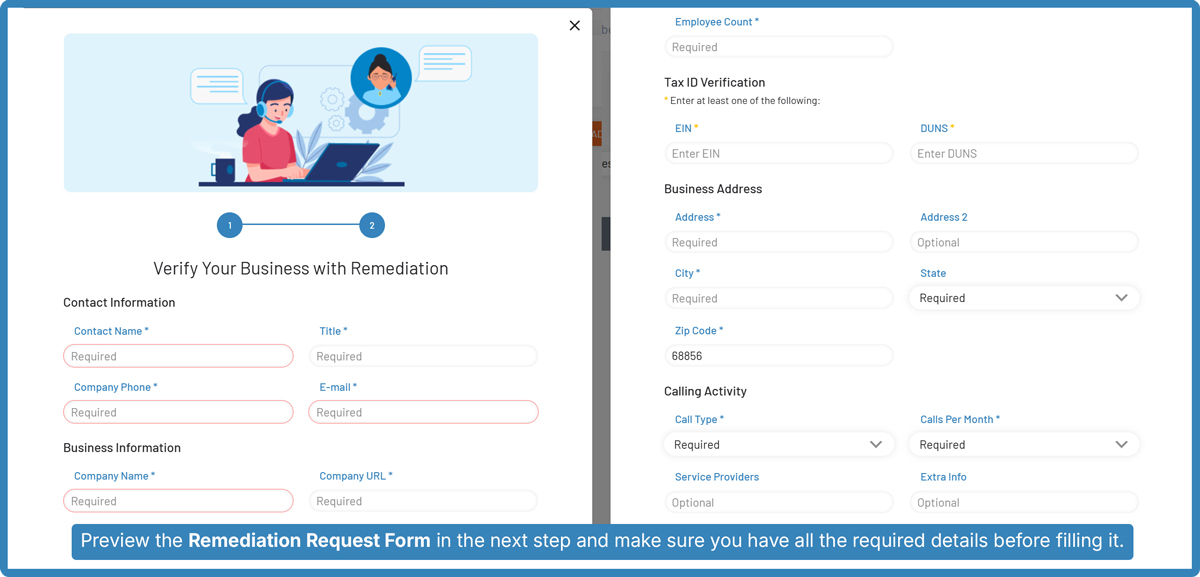
Once submitted, the request will enter the verification process. Approval timelines may vary, with most requests typically processed within 3-5 business days.
Users can also track the progress of their remediation request directly within the Phone Numbers page under Remediation Status.
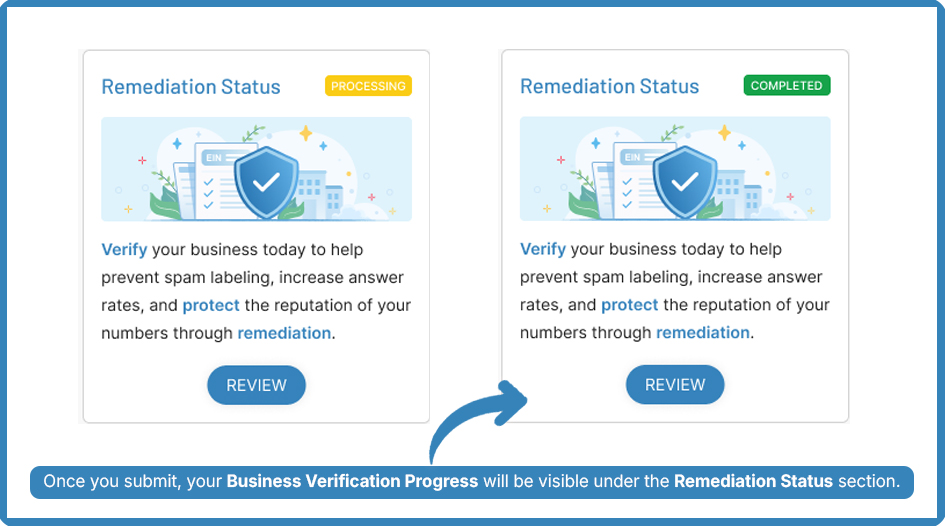
Once the business information has been verified, users will receive an email notification, and the verification status within the app will update to “Completed.”
| Note: If the verification request requires more information, our team will notify you via email. Users can update their information and resubmit for verification at any time. If the request is approved, you will be notified via email as well. |
Why This Matters for Outbound Teams
Many outbound teams focus heavily on dialing volume, scripts, and follow-up workflows, but overlook one of the biggest factors impacting outreach performance: phone number reputation.
The challenge is that many teams only react after performance drops.
While no solution can fully guarantee prevention, BatchDialer Remediation is designed to significantly reduce the likelihood of spam flags and improve overall phone number reputation over time.
When combined with BatchDialer’s built-in Phone Reputation Monitoring, number rotation, predictive dialing capabilities, and recommended dialing best practices, users can maintain healthier outbound calling performance and engage in more productive conversations than ever before.
Helping outbound teams stay connected, trusted, and consistently answered.
Start your BatchDialer 7-day free trial today and experience BatchDialer Remediation, Phone Reputation Monitoring, and more built-in outbound calling tools at no additional cost.
FAQs
1. What is BatchDialer Remediation?
BatchDialer Remediation is a business verification process designed to reduce the likelihood that phone numbers are flagged as spam while supporting healthier outbound dialing performance and answer rates.
2. Who can use BatchDialer Remediation?
All BatchDialer users, including both trial and paid users, are eligible to submit for remediation as long as they have the required business information.
3. What phone numbers are supported?
BatchDialer Remediation supports both phone numbers purchased through BatchDialer and externally purchased numbers imported into the platform.
4. What information is required for verification?
Users are required to submit business and contact information, including company details, EIN or DUNS verification, business address, and calling activity information.
What Is an EIN?
An Employer Identification Number (EIN) is a unique nine-digit number issued by the IRS to identify a business entity for tax purposes. Businesses commonly use an EIN when opening bank accounts, filing taxes, hiring employees, and verifying business legitimacy.
What Is a DUNS Number?
A Data Universal Numbering System (DUNS) number is a unique business identifier issued by Dun & Bradstreet. It is commonly used to establish business credibility, build a business credit profile, and verify company information across various industries.
An Employer Identification Number (EIN) is a unique nine-digit number issued by the IRS to identify a business entity for tax purposes. Businesses commonly use an EIN when opening bank accounts, filing taxes, hiring employees, and verifying business legitimacy.
5. How long does the remediation process take?
Approval timelines may vary, but most requests are typically processed within 3–5 business days. Users can track their remediation status directly within the platform.
6. Will remediation guarantee my numbers won’t be flagged as spam?
No solution can fully guarantee spam prevention. However, BatchDialer Remediation is designed to significantly reduce the likelihood of spam flags and support a healthier phone number reputation over time.
7. Do I need to verify every new phone number I add?
No. Once your business is verified, future phone numbers added to your account are automatically covered without requiring additional submissions.
8. How does remediation work with BatchDialer’s existing features?
BatchDialer Remediation works alongside Phone Reputation Monitoring, number rotation, predictive dialing capabilities, and recommended dialing best practices to help maintain healthier outbound calling performance.
9. What happens if my verification request is denied?
If additional information is needed or the request cannot be approved, the BatchDialer team will email the next steps. Users can update their information and resubmit for verification at any time.
10. Is BatchDialer Remediation included in the free trial?
Yes. BatchDialer Remediation is included across all BatchDialer plans, including the 7-day free trial, at no additional cost.
11. Does BatchDialer Remediation replace Phone Reputation Monitoring?
No. BatchDialer Remediation is designed to enhance BatchDialer’s existing Phone Reputation Monitoring capabilities, not replace them. It works alongside features such as number rotation, predictive dialing, and recommended dialing best practices to support healthier, long-term outbound calling performance.
12. Does BatchDialer Remediation help with spam call prevention?
Yes. BatchDialer Remediation is designed to help reduce the likelihood of spam labeling by supporting healthier caller ID reputation and reinforcing business legitimacy with carriers. While no solution can fully guarantee spam prevention, remediation helps users take a more proactive approach to phone reputation management and outbound dialing optimization.